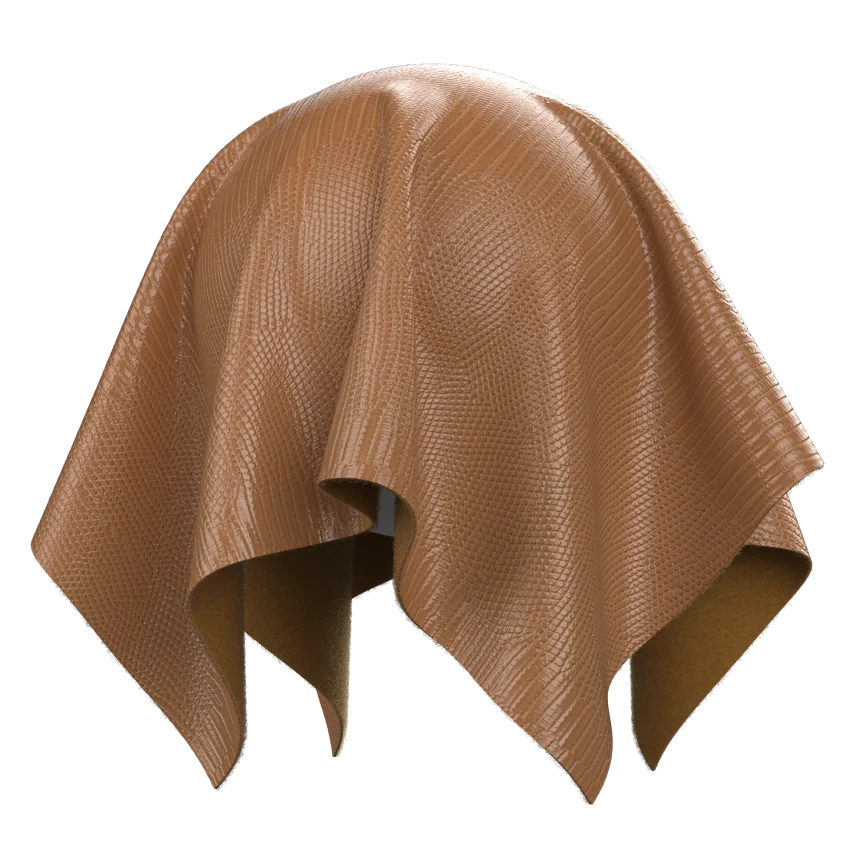
Multilayer fabric drape simulation lets designers compare how an outer shell, lining and support layers hang and move together. It helps answer questions about silhouette, movement and where one layer restricts another. Use the digital comparisons to focus physical checks on the areas where assembly and fabric behavior matter most.
(Edited on June 9, 2026)
What is multilayer fabric drape simulation and why does it matter?
Multilayer fabric drape simulation models how multiple textile layers such as outer fabric, lining and interlining behave together. Layer order, attachment points and the properties assigned to each layer influence where it can fold, slide or catch.
This matters because:
- Compare alternative constructions before choosing one to sew.
- Improve visualization of layered garments.
- Identify where the inner structure may change movement or the outer silhouette.
For the result to be useful, define the layers and attachments that can change silhouette or movement.
A loose lining will move differently from a bonded interlining. Mark the attachments on the pattern before creating the scene. The Style3D Studio facing example shows how the documented facing task sets up a separate layer.
How do fabric weight and stiffness influence multilayer drape behavior?
Fabric weight and stiffness affect how garments hang, fold and keep their shape. Compare them with the same cut and attachments to see how a specific material substitution changes the assembly.
- More mass per unit area adds weight to an equivalent piece.
- Greater resistance to bending can preserve structure and change how sharply it folds.
- A light material can still hold its shape if its bending or shear behavior differs.
For example, changing a coat’s lining weight is a different experiment from shortening the lining. Change one factor at a time to separate the material effect from the construction effect.
Which fabric properties are essential for accurate simulation results?
Accurate simulations depend on multiple physical parameters working together.
Key properties include:
-
Weight (mass per unit area)
-
Bending stiffness
-
Shear flexibility
-
Layer friction
-
Thickness
Below is a simplified overview:
| Property | Impact on Garment Behavior |
|---|---|
| Weight | Controls drape and gravity response |
| Bending stiffness | Affects folding and sharpness |
| Shear | Influences fabric distortion |
| Friction | Determines layer interaction |
| Thickness | Impacts volume and layering realism |
The Style3D Fabric product documentation distinguishes material digitization and measured properties. Check which inputs your simulation version exposes and use measurements applicable to the actual material or bonded assembly.
Which Layer Combinations to Compare Before Sewing
A repeatable layer comparison can help teams prioritize which construction options to prototype physically.
Key efficiency gains include:
- Compare design iterations using the same body, pose and view.
- Review shell and lining combinations before cutting all alternatives.
- Reserve the physical sample for questions that depend on the actual seam, material or wearer.
Record the tested construction, fabric assignment and unresolved checks when sharing a simulation. This lets another reviewer reproduce a difference instead of interpreting it from an isolated render.
How can designers validate fit and movement using digital simulations?
Designers can review supported motions on the intended avatar and compare where the shell or lining first restricts a pose.
Capabilities include:
- Compare the resting and movement positions relevant to the garment.
- Locate stress patterns and regions where layers cross or catch.
- Test a focused pattern or attachment change under the same setup.
Start with a stable shell and add layers one at a time. Inspect the initial position before simulating. On a lined jacket, compare armhole mobility with the same camera and reach pose. When a pull appears only after adding the lining, check its seam path and allowance on a sewn sample.
How Do Simulation Settings Affect the Layered Result?
A cloth simulation uses its model of gravity, material response and contact to resolve the scene. AI-assisted setup, where available in a specific tool, does not establish that a particular material or fit result is accurate.
When the result looks wrong, separate the inputs you can check:
- Confirm which layer lies outside and which is underneath.
- Inspect the seams or bonded areas that connect them.
- Check the materials against the planned textile assembly and rerun a comparable pose.
Reset the scene if panels start intersecting. A simulated fold at the first frame may come from the starting geometry rather than a genuine fit restriction.
What to Show in a Layered-Garment Review
Clear visualization helps both technical and non-technical stakeholders understand garment design.
Effective methods include:
-
High-resolution 3D renders
-
Animated garment movement
-
Interactive digital samples
Use an annotated image for a construction decision and a motion view for a movement question. Label views with the material and pattern revision so a visually polished sample does not get confused with an approved fit.
How to Measure Actual Changes in Samples and Materials
A multilayer review may help a team avoid cutting a redundant trial. To assess any material or shipping change, compare actual samples and deliveries for a defined style or batch.
Sustainability benefits include:
- List the options that were screened digitally and the versions that were sewn.
- Record the material used in physical trials and sample shipments actually avoided.
- Keep assembly, fit and performance tests needed for release.
| Review item | What to record |
|---|---|
| Physical samples | Which alternatives were sewn and why |
| Material use | Fabric used for the prototypes in scope |
| Shipping | Which dispatches changed or were avoided |
| Release checks | The physical checks retained for the chosen construction |
A project-level record can show its own changes in material or sampling. It does not establish the environmental impact of the entire garment lifecycle.
Worked Example: A Lining That Restricts Reach
Suppose a jacket shell swings freely on its own, then pulls at the back armhole once a lining is added. Test the same reach pose after checking the lining’s attachment and path around the armhole. Compare an altered lining with the original using the same shell. At physical fitting, check that the wearer can reach as intended and that the lining stays clear when the arm returns.
Conclusion
Layered drape depends on both material properties and where the layers can move relative to each other. Compare the shell and assembly in the same poses, then check the production construction wherever the predicted shape affects fit or appearance.
FAQs
What types of garments benefit most from multilayer simulation?
Layered garments such as coats, jackets, and technical apparel benefit the most because they involve complex fabric interactions.
Can multilayer simulation replace physical sampling entirely?
Use it to choose what to test. Keep physical checks for fit, construction and material behavior that the scene cannot establish.
Is multilayer simulation suitable for stretchy or technical fabrics?
Yes, but these materials may require additional calibration to accurately replicate their unique behaviors.
What should a beginner model first?
Start with one shell and one freely attached inner layer. Compare them at rest, then check a single movement before adding more complexity.
Does multilayer simulation help collaboration?
A shared view can make a fit or construction issue easier to discuss. Identify its pose, material and model revision so the decision is reproducible.