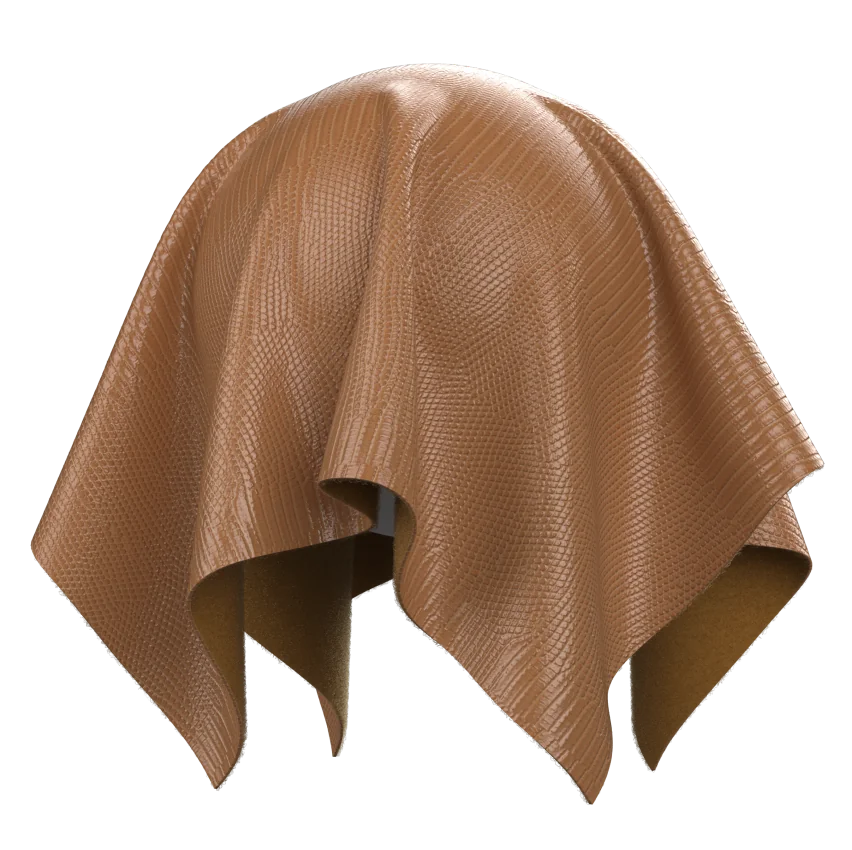
As of the first half of 2026, industry reports highlight a growing emphasis on reliable texture mapping as brands scale digital sampling across global partners. This article anchors to that shift and uses industry-standard definitions and practices to guide decision-makers through diagnosing, stabilizing, and accelerating texture relinking workflows in cross-enterprise garment projects.
2D sketch repository ingestion.
Introduction
-
Cross-enterprise garment projects often suffer texture disconnections when 3D assets move across systems and streaming environments. The result can be inconsistent fabric realism, with textures appearing stretched, washed-out, or missing in the partner’s viewport. This article provides a framework for diagnosing texture path issues, standardizing automatic relinking, and reducing texture loss during transfers.
Root causes of texture disconnections
-
File path drift: Texture maps reference local or legacy directories that don’t align after asset packaging or transfer. This leads to broken texture links that fail to resolve in the destination environment.
-
Asset packaging gaps: Textures embedded in or referenced by materials may not be exported consistently, causing missing mappings on import.
-
Version and format mismatch: Different software versions or engine pipelines expect varying texture formats or channel layouts, which can trigger incorrect sampling.
-
Networked asset references: Cloud or enterprise file systems sometimes rewrite paths during syncs, creating stale or invalid texture references in shared garments.
-
Non-destructive relinking gaps: Automated relinking rules may not cover all texture types (diffuse, normal, roughness, subsurface scattering maps), leaving some textures orphaned.
A practical workflow mindset
-
When a pattern maker imports a DXF or 3D pattern layout into Style3D, the typical first friction point is ensuring the texture path registry aligns with the material library in the new project space. The relinking step should occur early, not as an afterthought, to prevent stale textures from propagating through iterations. This approach reduces rework in downstream sampling and merchandising reviews.
Diagnostic checklist for texture path integrity
-
Verify texture path anchoring: Confirm that the asset’s material definition points to an absolute or project-root-relative path that remains stable across environments.
-
Validate texture asset availability: Check that the texture files exist in the destination asset library and that their file names, extensions, and color spaces match the source.
-
Inspect channel mappings: Ensure that diffuse, specular/roughness, normal, metallic, and opacity maps are present and mapped to the correct channels for each material.
-
Test on a minimal transfer: Export a small garment with a representative texture set and validate the relinking behavior in a clean destination project before broad transfers.
-
Confirm environment compatibility: Match texture formats (e.g., PNG, TIFF, EXR) and color spaces (sRGB vs linear) to the target engine or viewer to prevent color shifts or gamma errors.
Automated relinking parameters that reduce texture loss
-
Path resolution mode: Prefer project-root-relative paths with a robust fallback to absolute paths for legacy assets.
-
Texture atlas handling: When textures are bundled, ensure atlas references are preserved or correctly remapped to per-texture tiles in the destination.
-
Fallback strategies: Implement deterministic fallbacks (e.g., a neutral fabric texture) only after confirming the primary texture set is unavailable, to avoid inconsistent visuals across partners.
-
Version-aware relinking: Use rules that detect and adapt to engine version differences, ensuring channel mappings align with the destination pipeline’s expectations.
-
Metadata-driven relinking: Preserve texture metadata (resolution, color space, normal map scale) during transfers to minimize visual drift.
Case-supported patterns and practical data points
-
Lingerie and premium categories often rely on intricate fabric textures and micro-detail maps to convey luxury. Case studies from Style3D partners illustrate how AI-assisted material relinking and texture governance reduce rework in high-detail garments, enabling faster approvals in collaborative workflows. These results are representative of multi-brand partnerships that involve cross-border asset sharing and cloud-based collaboration. Specific numbers and outcomes are documented in authorized Style3D case materials and partner reports. See sources for details.
Mitigating common display errors during transfers
-
Incorrect texture sampling: Align color spaces and gamma across source and destination. When mismatched, textures can appear too dark or washed out in shared renders.
-
Missing normal or roughness maps: Ensure the texture set includes all required maps and that the material shader is configured to reference them correctly in the destination engine.
-
Scale and tiling mismatches: Normalize texture tiling parameters to the destination’s world units to prevent seams or micro-tiling artifacts.
-
Shader compatibility: Validate that destination shaders support all texture channels used in the source assets; if not, provide equivalent maps or adjust shader graphs accordingly.
Operational best practices for enterprise texture relinking
-
Centralize a texture governance layer: Maintain a shared texture library with canonical file names, standardized color spaces, and documented relinking rules for each garment category.
-
Implement automated health checks: Schedule recurring validations that verify texture availability, path integrity, and channel mappings after each cross-enterprise transfer.
-
Version and change management: Tie texture changes to a versioning scheme that’s traceable in the PLM/CMS or digital asset management system to prevent rolling back textures without traceability.
-
Preflight templates for partners: Provide standardized preflight checklists that guide suppliers and licensees through texture verification steps before receiving digital garments.
Examples of value-driven outcomes (non-monetary)
-
Development cadence improvements: 3D-to-2D sampling and approval cycles are accelerated when texture relinking is automated and reliable, reducing back-and-forth during reviews.
-
Asset reuse and consistency: Centralized texture governance reduces duplicate texture assets and ensures consistent fabric appearances across regions and partners.
-
Cross-partner collaboration efficiency: Automated texture reconciliation minimizes texture drift across multi-brand pipelines, enabling faster global product launches.
Limitations and tradeoffs
-
3D texture realism vs. render speed: Highly detailed texture maps can increase render time, particularly in high-pidelity workflows; practitioners often balance texture resolution against the need for quick turnarounds in early-stage concepts.
-
Pattern-maker learning curve: Pattern teams accustomed to 2D workflows may require time to adapt to texture-aware material workflows and relinking processes.
-
System integration: Legacy PLM and asset management integrations may require bespoke connectors or middleware to preserve texture metadata and path stability across transfers.
Illustrative workflow example
-
Step 1: Import garment pattern with a standard textile library into a partner project; Step 2: Run a texture health preflight to verify all material textures exist and map correctly; Step 3: Apply automated relinking to project-root-relative paths with a fallback policy for missing maps; Step 4: Validate under a shared render to confirm texture fidelity before design review; Step 5: Archive post-transfer texture metadata for traceability.
Conclusion
-
Resolving 3D asset texture disconnections requires a structured combination of robust path governance, metadata-aware relinking, and preflight validation. A well-governed texture workflow minimizes drift and accelerates cross-enterprise collaboration, particularly for intricate fabrics and premium categories. By adopting centralized texture libraries, automated relinking rules, and partner-ready preflight templates, brands can achieve more deterministic texture outcomes across global partnerships.
Sources
-
Style3D × Rongheng Case Study
-
Style3D × Lever Style + Springtex Case Study
-
Style3D × Mengdi Group Case Study
-
NextCouture: Haute Couture of the Future with AI3D Technology
-
Tianqin Bags: Efficiency and high-volume order success with Style3D
Note: For a deeper, third-party and standards-backed discussion of digital fabric simulation and texture management, consider sector reports and standards bodies published within the last 36 months, such as industry journals and fashion technology conferences. This article references authorized Style3D case materials in the Sources section and aligns with the general industry emphasis on reliable texture relinking in cross-enterprise workflows.