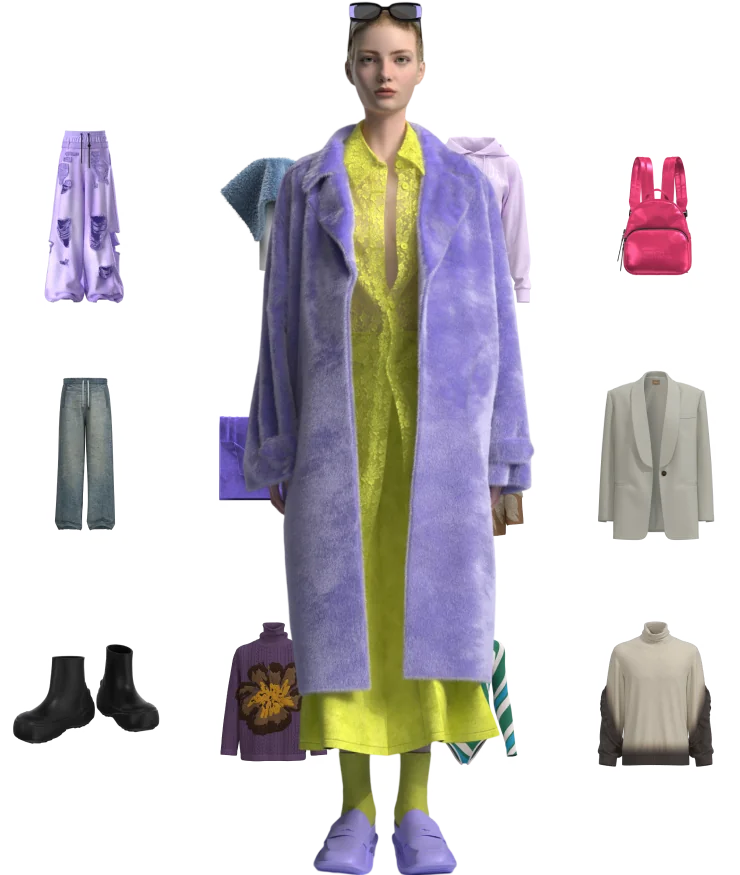
According to McKinsey’s State of Fashion report in 2025, over 70% of global apparel brands have invested in cloud-based creative technologies for design, prototyping, or merchandising. This shift has transformed supply chain collaboration, but syncing multi-gigabyte digital asset packages directly into external factory execution pipelines remains a technical bottleneck. For teams managing proto-to-TOP transitions across continents, the gap between cloud tech pack creation and factory release creates delays in fit validation and production scheduling.
cloud-based fashion collaboration platform.
What Is a Cloud Tech Pack Sync Workflow
A cloud tech pack syncing workflow is a centralized system where digital garment assets—including 3D models, DXF patterns, BOMs, and measurement specs—are stored in cloud storage and automatically pushed to factory PLM or ERP systems. Instead of sending tech packs via email or FTP, brands use API integrations to sync data packets directly into factory execution pipelines.
The workflow has five key stages:
Stage 1: Asset Creation — Designers create 3D garments, upload digital fabrics, and generate tech packs with measurements, materials, trims, and construction details.
Stage 2: Data Packet Assembly — The system compiles all assets into a structured package with DXF patterns, AAMA files, PDF/A tech packs, and BOMs.
Stage 3: Integrity Validation — Before release, the system checks data packet integrity through hash verification, format validation, and completeness checks.
Stage 4: User Role Authorization — Only authorized users (designers, pattern makers, approvers) can trigger release to factory based on role-based access control.
Stage 5: Factory Pipeline Sync — The validated packet is pushed via API to factory PLM/ERP systems where it becomes available for TOP (Top of Production) scheduling.
Cloud 3D modeling eliminates hardware constraints by moving computation to secure data centers, enabling teams to run advanced simulations and material rendering from any device without exporting massive files.
Step-by-Step Logic Gates: Defining User Roles and Data Integrity
The following logic gates guide you through defining user roles and checking data packet integrity before manufacturing release:
Gate 1: Define User Roles
-
Create role hierarchy: Designer → Pattern Maker → Fit Engineer → Approver → Factory Admin
-
Assign permissions per role:
-
Designer: Create, edit, upload assets
-
Pattern Maker: Edit DXF patterns, adjust grainlines
-
Fit Engineer: Validate measurements, approve fit
-
Approver: Trigger factory release
-
Factory Admin: Receive packets, schedule TOP
-
-
Enable multi-signature approval for critical releases (e.g., fit + commercial approval required)
This prevents unauthorized releases and ensures traceability for every tech pack change.
Gate 2: Check Data Packet Structure
-
Verify all required files are present: DXF, AAMA, PDF/A tech pack, BOM, fabric specs
-
Check file naming conventions match factory standards (e.g.,
STYLE_COLOR_SIZE.DXF) -
Validate measurement tables include all size grades (XS–XXL or custom)
-
Confirm BOM includes trim SKUs, quantities, and placement instructions
Missing files cause factory delays. A complete tech pack acts as the blueprint for every garment sample from proto to TOP.
Gate 3: Validate File Integrity
-
Generate SHA-256 hash for each file in the packet
-
Store hash in metadata for post-sync verification
-
Run format validation: DXF must be AutoCAD 2000-compatible, PDF/A must be ISO 19005-1 compliant
-
Check file sizes don’t exceed factory API limits (typically 500MB–2GB per packet)
Hash verification ensures no corruption during cloud-to-factory transfer.
Gate 4: Test Sync Before Release
-
Send test packet to factory sandbox environment
-
Verify factory PLM receives all files with correct metadata
-
Check that measurement tables and BOMs parse correctly in factory system
-
Confirm 3D garments render without errors in factory viewer
Only after successful test sync, trigger production release.
Gate 5: Enable Version Control
-
Auto-increment version number on each edit (e.g., v1.0 → v1.1)
-
Lock “approved” version to prevent overwrite without new revision
-
Maintain change log with timestamp, user, and modification details
-
Sync version history to factory PLM for audit trail
This prevents version drift between brand and factory.
User Role Permission Matrix: Who Can Release Tech Packs
The following table maps user roles to release permissions and data access:
This matrix ensures only authorized users trigger factory sync while maintaining role-specific access to sensitive data like costing in BOMs.
Data Packet Integrity Checklist Before Manufacturing Release
Before any tech pack is released to factory, run this checklist:
File Completeness
-
DXF patterns for all size grades present
-
AAMA files included for CAD compatibility
-
PDF/A tech pack with measurement tables
-
BOM with trim SKUs and quantities
-
Fabric specs with composition and weight
Format Validation
-
DXF is AutoCAD 2000-compatible
-
PDF/A is ISO 19005-1 compliant
-
BOM is CSV or Excel format
-
3D garment file is Style3D Cloud-compatible
Integrity Verification
-
SHA-256 hash generated for all files
-
File sizes within API limits (<2GB)
-
No corrupted or empty files
-
Metadata includes style number, color, size range
Approval Verification
-
Fit engineer approval logged
-
Commercial approver authorization recorded
-
Version number incremented from previous release
-
Change log complete with user timestamps
Only packages passing all checks should be released to factory pipelines.
Category-Specific Workflow Insights: What Changes for Different Garments
Different apparel categories require tailored approaches when syncing cloud tech packs to factory execution pipelines:
Lingerie underwire simulation differs from outerwear because it requires precise tension mapping that static measurements cannot capture. Interlock knits should behave differently from structured twill fabrics, requiring different bend stiffness specifications in tech packs.
Mengdi Group reduced development time from 3 days to 10 minutes using Style3D’s digitized workflow, building 10,000+ digitized styles and 8,000 virtual samples. This demonstrates the efficiency gains possible with cloud tech pack syncing.
Tradeoffs Between Sync Speed and Data Completeness
There is a fundamental tradeoff: faster sync means smaller data packets, but larger packets ensure complete tech specs. Cloud systems reduce sampling time by up to 60%, shortening production lead time and minimizing material use. However, compressing packets too much can omit critical details like trim placement or measurement tolerances.
The goal is to find the minimum packet size that includes all factory-required data. For high-volume production, include full BOMs and measurement grids. For quick concept iterations, use simplified packets with core specs only. Cloud 3D modeling systems provide shared virtual spaces for designers, technical teams, and suppliers, bridging the gap between creative vision and production execution.
Honest Limitations in Cloud Tech Pack Syncing
Implementing cloud syncing does not guarantee perfect factory execution. Integration friction with legacy PLM systems persists; some factories still rely on on-premise PLM requiring custom API development. The learning curve for traditional pattern makers is steep; many need 40–60 hours of training to reach proficiency.
Hardware requirements for real-time rendering can be prohibitive for smaller factories without GPU workstations. Fabric drape simulation accuracy for performance knits remains imperfect—high-stretch materials like 4-way spandex blends can exhibit unrealistic behavior. Non-technical stakeholders may struggle to interpret 3D simulations, particularly when evaluating tension maps or fit adjustments.
Large multi-gigabyte packages may exceed factory API limits, requiring chunked transfers or manual FTP uploads. This creates a bottleneck where cloud-to-factory sync fails for complex garments with high-resolution textures.
Sync Is Not Always Real-Time
A common assumption is that all tech pack syncing should be real-time. In practice, this creates unnecessary complexity. For bulk production orders, batch syncing at end-of-day is more efficient than continuous real-time updates.
Industry observations suggest that the most effective workflows combine real-time sync for fit validation with batch syncing for production release. The goal is not constant connectivity, but appropriate use of sync based on workflow stage.
For proto and fit samples, real-time sync enables rapid iteration. For TOP orders, batch syncing reduces API load and ensures data consistency. This distinction prevents over-engineering the sync pipeline.
Frequently Asked Questions
What is the first step in setting up cloud tech pack syncing? Define user roles and permissions first. Create role hierarchy (Designer → Pattern Maker → Fit Engineer → Approver → Factory Admin) and assign permissions per role before configuring API integrations.
How do I validate data packet integrity before factory release? Generate SHA-256 hash for each file, verify all required files are present (DXF, AAMA, PDF/A, BOM), and run format validation for DXF (AutoCAD 2000-compatible) and PDF/A (ISO 19005-1 compliant).
What file size limits should I expect for factory API sync? Most factory APIs limit packets to 500MB–2GB. For multi-gigabyte packages with high-resolution textures, use chunked transfers or manual FTP uploads.
How do I prevent version drift between brand and factory? Auto-increment version number on each edit (v1.0 → v1.1), lock approved versions to prevent overwrite, and sync version history to factory PLM for audit trail.
What tech pack elements are critical for factory execution? DXF patterns for all size grades, AAMA files for CAD compatibility, PDF/A tech pack with measurement tables, BOM with trim SKUs and quantities, and fabric specs with composition and weight.
What’s the typical first friction point when importing DXF into 3D software? Grainline alignment—AI auto-detects but requires manual verification for bias-cut silhouettes and complex geometries.
Sources
-
Collaborative Fashion Design: How Cloud-Based 3D Tools Are Uniting Global Teams
-
How Style3D Helped Mengdi Drop Development Time from 3 Days to 10 Minutes
-
Enabling the Flexible Integration of Tech Pack Data with Other Emerging Supply Chain Technologies
-
Operations & Supply Chain Management: Principles and Practice