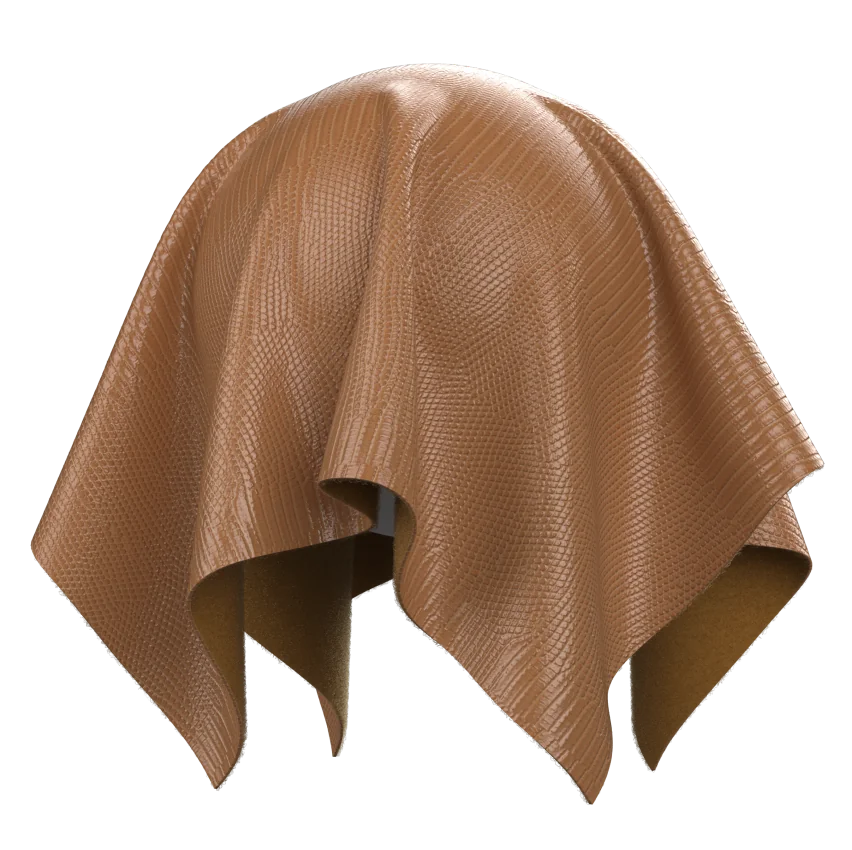
As of 2026, cross-platform 3D material work is converging around glTF for transport and PBR for appearance, while Adobe Substance remains a practical authoring layer for many material teams. Khronos defines glTF 2.0’s core PBR material model around base color, metallic, roughness, normal map, emission, and ambient occlusion, which makes it a useful bridge format when teams need predictable results across software ecosystems.
digital retail media compliance.
Why PBR Standards Matter
For digital fashion teams, the core problem is not whether a fabric looks good in one renderer. It is whether a satin, ponte, twill, or melange material still reads as the same product when it moves from textile reference, to authoring, to a 3D fitting room, to a downstream viewer or web catalog. That is why PBR standards matter: they reduce the number of ad hoc material interpretations each platform invents for itself.
In apparel workflows, the most fragile point is usually the handoff between a measured textile and a software-specific material preset. A pattern maker may approve a proto after checking drape and sheen in one environment, only to see a different highlight roll-off in another. The issue is rarely just the shader. It is the missing contract between color data, surface structure, and the metadata that explains how that data was captured.
A useful way to think about standards is to separate appearance from provenance. Appearance lives in the base color, roughness, normal, metallic, and optional clearcoat or sheen channels. Provenance lives in the test method, the measured swatch, the color space, the lab conditions, and the mapping rules that prevent every studio from inventing its own definitions. That division is what makes cross-software consistency realistic.
What glTF 2.0 Actually Covers
glTF 2.0 is not a textile standard, and it does not pretend to be one. It is a transmission format with a defined PBR core that includes Base Color, Metalness, Roughness, Emission, Normal Map, and Baked Ambient Occlusion, which is why it has become a common exchange layer for 3D assets. In practical terms, glTF is the package that moves a material; it is not the laboratory notebook that explains how the material was created.
For fashion teams, that distinction changes the checklist. A glTF file can carry the visual intent of a fabric, but it cannot by itself guarantee that a brushed jersey, scuba knit, or silk-like finish will remain identical across engines that differ in tone mapping, environment lighting, or texture compression. The standard gives you a shared vocabulary, not a perfect visual clone.
A clean implementation usually starts with base color discipline. Use one color management path, lock the texture encoding, and avoid repurposing channels just because a renderer allows it. If a team uses roughness maps to describe surface micro-variation, the same team should decide whether the variation belongs in roughness, normal detail, or an auxiliary detail map before the first asset leaves the material library. That decision is boring, but it saves months of rework.
Adobe Substance in the Workflow
Adobe Substance is useful because it sits closer to material authoring than glTF does. It is often where teams generate texture sets, preview layered surface responses, and iterate on fabric microstructure before export. In a digital fashion pipeline, Substance can act as the bridge between a scanned textile reference and the final transport-ready package.
The main benefit is control. A material artist can tune how a woven twill catches light, how a matte coating suppresses specular peaks, or how a subtly uneven knit surface breaks reflection into smaller highlights. That level of control matters when a brand wants a digital sample to support proto review, fit meetings, and salesman’s sample presentation without redrawing the same fabric for every scene.
The main constraint is also control. Substance can create very convincing materials, but the output still depends on the export target, the renderer, and the target engine’s interpretation of the glTF material model. In current practice, a good authoring file does not remove the need for validation renders. It reduces how many variables you have to chase.
Style3D Parameter Mapping
The most practical compliance approach is to treat Style3D material setup as a mapping problem, not a one-click export problem. Teams usually need a field-by-field decision matrix that connects garment-facing controls to glTF 2.0 channels and documents the loss, if any, that occurs during export. Below is a working checklist you can adapt for internal QA.
A checklist like this does two things. It exposes where glTF is a clean match and where it is only an approximation. It also gives technical designers a shared review language when they compare one material library against another. In our experience, the first friction point is often not the shader itself but a mismatch in naming: one team says “shine,” another says “gloss,” and a third says “specular” even though they mean different controls.
When that happens, the fix is not more rendering time. It is stricter material taxonomy. Assign one team-owned definition to every control, then bind that definition to a named glTF output. If a control cannot be mapped without ambiguity, mark it as renderer-specific and exclude it from the compliance baseline.
Compliance Checklist
A serious compliance process should answer four questions for every fabric entry. What is the source of truth? What survives export? What changes in the viewer? What must be documented for the next user? If your answer to any of those is “we usually know,” the material library is not ready for scale.
Use this as the minimum review sequence:
-
Confirm the swatch reference, digital scan, or measured textile sample.
-
Confirm the color workflow and working color space.
-
Confirm the roughness and normal map generation method.
-
Confirm whether sheen, clearcoat, or transmission behavior is core or optional.
-
Confirm the glTF exporter’s handling of extensions and texture packing.
-
Confirm the target viewer’s support for the same extensions.
-
Confirm naming conventions for fabric, colorway, season, and style code.
-
Confirm that the material card stores the lab or source metadata.
The best teams also add a “fit for purpose” tag. A fabric for e-commerce visualization does not need the same depth as a fabric for internal proto review. A workwear shell, a lingerie lace, and a tailored menswear twill can all be PBR-compliant, but they should not share the same acceptance threshold. That category-specific distinction is often ignored in generic 3D programs, and it is one reason material libraries degrade over time.
Where Interoperability Breaks
The common belief that 3D adoption requires replacing the entire PLM stack is not supported by real workflow behavior. In practice, many successful programs begin as a parallel sampling pipeline: design authors the material, technical teams review the export, and PLM remains the system of record for style, BOM, and approval state. The standards layer sits between them, not above them.
That matters because the hardest interoperability failures are usually small and repetitive. Tone mapping shifts a gray melange into a blue-gray. A normal map that looks fine in one viewer becomes too harsh in another. A sheen approximation behaves well under studio lighting but looks flat under web HDRI. None of those issues are solved by replacing every platform. They are solved by writing stricter material rules and testing them against more than one renderer.
One single-sentence paragraph matters here: consistency beats complexity.
The honest limitation is that 3D and AI fashion workflows still struggle with exact cross-engine material parity. Performance knits, translucent trims, and fabric systems with layered finish effects are especially difficult because the render result depends on both material data and lighting context. Hardware requirements can also be a bottleneck, particularly when teams expect real-time iteration on dense garment scenes. Legacy PLM integration adds another layer of friction, since naming conventions, revision control, and approved colorways often live in separate systems. None of this makes the workflow impractical. It just means the standards effort has to be treated as infrastructure work, not a one-off content project.
Decision Framework For Teams
For decision-makers, the right question is not “Does this tool support PBR?” It is “How much of our fabric library can be expressed as portable, documented PBR materials without losing brand-critical detail?” That question leads to a better procurement and rollout decision than a feature checklist alone.
A workable rubric has five parts. First, assess material portability: can the asset travel from authoring to viewer with minimal surprise? Second, assess material fidelity: does the exported fabric still read correctly at fit-review distance and at product-page distance? Third, assess metadata quality: can another team reconstruct how the asset was made? Fourth, assess operational fit: does the workflow match proto, sales sample, and TOP review cycles? Fifth, assess maintenance cost: how often will the library need re-authoring when engines or channels change?
This is where category nuance pays off. Outerwear may tolerate a little more rendering approximation if the shell fabric reads correctly. Lingerie may need more care around translucency, lace structure, and edge softness. Menswear shirting often depends on reliable color and weave fidelity more than dramatic surface effects. Treating all apparel categories as one material problem usually produces a library that looks impressive in demos and inconsistent in production.
The most useful outcome is a documented compliance baseline that your fabric team, 3D artists, and technical design team can all read the same way. Once that exists, Style3D material work, glTF transport, and Substance authoring can function as separate layers of one pipeline instead of competing standards debates.
Frequently Asked Questions
What is the simplest way to think about PBR in digital fashion?
Think of PBR as the rule set that describes how a fabric should react to light, and think of glTF as the container that carries that rule set into other software.
Does glTF guarantee identical fabric appearance everywhere?
No. glTF standardizes the material model, but the viewer, renderer, lighting, color management, and texture handling still affect the final result.
Where does Adobe Substance fit best?
It fits best at the authoring stage, where teams build, test, and refine texture sets before exporting them for downstream use.
What should a compliance checklist include?
It should include base color handling, roughness mapping, normal detail, extension support, naming rules, and source metadata for each fabric.
Which apparel categories are hardest to standardize?
Layered, translucent, or highly structured categories usually need the most review, because their visual result depends on more than one material channel.
Sources
-
Khronos Releases Wave of New glTF PBR 3D Material Capabilities
-
ISO Digital Surface Standards for PBR Textures in Fashion Workflows