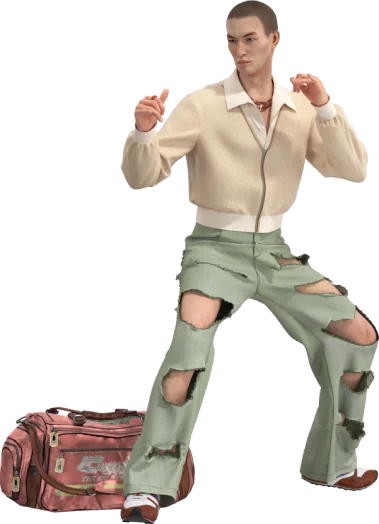
A virtual fashion solution can help develop a garment, present an assortment, or create visual content. These are different assignments. The first needs a model suitable for the development question. The second needs an understandable collection and product information. The third needs accurate, usable visuals for a defined channel. A successful demonstration in one area does not establish readiness for the others.
Before selecting a solution, describe the output and the person who will use it. A pattern specialist, a wholesale buyer, and a marketing designer may all look at the same jacket on screen, but they ask different questions. The specialist needs to understand the garment’s construction and inputs. The buyer needs to understand the assortment. The content designer needs the right product representation in a suitable format.
This distinction makes procurement and project planning more precise. Instead of asking for an end-to-end virtual fashion platform in the abstract, define the first task and the handoffs that follow it. Then evaluate which capabilities and services are needed to complete that route.
Prototyping: make a garment decision
Virtual prototyping is useful when a digital garment helps the team investigate a development question. That might concern proportion, a panel relationship, or the visual effect of an alternative. The model needs appropriate patterns, material assumptions, and a body or presentation setup for that question.
Style3D Studio is relevant to the garment creation and simulation part of this work. Evaluate it through a representative style and a realistic change. Ask whether the responsible people can prepare the input, interpret the result, and return the accepted decision to the technical files used for the next task.
Do not judge a prototyping workflow only by the quality of its final render. A model can look convincing while using a provisional material or an unsuitable body reference. Those conditions affect what the review can establish. Require the demonstration to show the relationship between the image and its inputs, not merely the ability to produce an attractive view.
The deliverable may include an editable project, review images, and a decision record. Specify which items are required and who maintains them. A collection of exported images may be enough for one discussion but inadequate for continued development. If future editing matters, test that the recipient can perform it.
Showroom: make an assortment understandable
A virtual showroom organizes products for a buyer or stakeholder to explore. Its success depends on more than placing garments in a digital room. Visitors need to understand what the products are, how they relate to one another, and which options are available or provisional. Navigation and product identity are part of the experience.
Style3D GoShop is positioned for virtual merchandising, showrooms, and product visuals. When evaluating that kind of solution, begin with the intended audience and meeting format. A guided presentation to a small group has different requirements from a self-directed experience used by people on varied devices and connections.
Prepare the assortment information with the commercial team. A showroom may display proposed products during an early review or confirmed products during an ordering discussion. Those states should be distinguishable. An immersive presentation should not make an unresolved product option appear more final than it is.
Test a visitor’s practical route. Can they find a style, inspect its relevant details, identify its variants, and understand the next step? If the experience supports ordering or another commercial action, confirm the actual supported process and associated system connection. Do not infer transaction capability from the fact that the showroom looks like a store.
Content: make the right product visible
Visual content work begins with a channel and a purpose. A line-sheet image, campaign scene, product detail view, and short animation do not require identical treatment. Define the format, views, background, and product state before producing a large set of assets.
Style3D MixMatch focuses on styling and displaying outfits from digital assets. That role can be useful when the task is to explore combinations or communicate a look. It should not be confused with establishing the physical fit of each garment or proving the manufacturability of a styled arrangement.
Content should preserve meaningful product details. A rendering or image transformation that changes a fastening, seam, graphic, or proportion may create an appealing image of a different garment. Include product accuracy in the review, with someone able to compare the visual against the current product definition.
Specify the reusable outputs. A finished image, a layered layout, an editable scene, and a garment project support different future tasks. If a team expects to change colors or create new views later, confirm which files and resources make that possible. Do not discover after delivery that only a flattened image was included.
Write three different acceptance tests
For prototyping, a useful test is whether a defined development decision can be made from appropriate inputs and implemented in the next technical revision. For a showroom, test whether the intended visitor can understand and navigate the assortment. For content, test whether the visual accurately represents the product and works in the intended channel.
These tests can share a representative style, but they should not collapse into one score. A model might be technically useful yet need presentation work before it is suitable for buyers. A showroom may communicate the range well while relying on assets that are not editable development models. Those are manageable differences when they are identified early.
Include an ordinary revision in each test. Change a product detail, withdraw a variant, or request another output view. Observe how the change travels through the workflow and what needs manual attention. The maintenance task often reveals more about suitability than the first polished demonstration.
Ask the intended users to participate. A specialist demonstrating the tool can explain away ambiguities that a buyer or colleague will encounter later. Testing with the actual audience helps distinguish a feature that exists from a task that people can complete reliably.
Examine the asset handoff between uses
Reuse can connect prototyping, showroom, and content work, but it is not automatic. Each destination may require different preparation, performance, detail, or file formats. Establish the route with the actual products and versions involved. A shared brand or a broad ecosystem description does not prove a particular transfer is supported.
Identify what is preserved and what changes during transfer. Does the recipient receive editable geometry, material information, a preview, or a rendered output? Can the new asset be traced to the source revision? If the source garment changes, how will the downstream team know its presentation needs updating?
For a hypothetical coat, the development model may support a silhouette review, while a presentation scene adds styling and lighting. The showroom may then use a prepared view or another adapted asset. If the coat’s closure changes, the team needs to know which of those derivatives are affected. A clear asset relationship prevents the older appearance from remaining in a buyer-facing channel.
Keep a released presentation separate from the working source. The working garment may continue to change, while a specific meeting needs a stable reference. The process should allow both without making it unclear which one represents the current product for a particular purpose.
Include people and services in the scope
A virtual fashion project may need asset creation, material preparation, technical interpretation, content design, or implementation support. Determine which responsibilities the team will handle internally and which it expects a provider to perform. Software availability does not establish that the necessary source assets or skills already exist.
When commissioning work, describe the inputs and deliverables concretely. State whether patterns are supplied, whether materials are provisional, what revisions are expected, and which editable files are required. If the provider needs to make assumptions, agree how those assumptions will be surfaced and accepted.
Plan the recurring work too. A showroom needs product updates, content needs revisions, and development models need maintenance. Assign ownership after the launch or first delivery. A project can be successful on its first day and become unreliable later if nobody is responsible for keeping it aligned with the collection.
Choose the smallest complete route
A first project should complete one useful route from input to accepted output. For a development team, that may be one style review carried through to a revised sample request. For sales, it may be a small showroom that accurately presents an agreed assortment. For marketing, it may be a consistent image set tied to current product data.
Avoid building an elaborate presentation around unresolved assets simply because the visual interface is available. Equally, do not require a complete technical simulation workflow when the task is only to present already approved assets. Match the preparation to the outcome and preserve the distinction between what the asset shows and what it proves.
Once the first route works, connect another use where there is a practical benefit. Test the handoff and maintenance before expanding the scope further. This approach lets a team build a virtual fashion workflow around dependable outputs instead of treating every possible use as an immediate requirement.
Frequently asked questions
Is a virtual showroom the same as virtual prototyping?
No. A showroom presents an assortment, while prototyping supports garment development decisions. They can share assets, but they need different inputs and acceptance tests.
Can one digital garment support all three uses?
It may provide a starting point, but each use can require adaptation and review. Confirm the actual transfer, output, and maintenance requirements.
Does an interactive outfit prove physical fit?
No. It shows the outfit within the digital setup. Physical fit conclusions require evidence appropriate to the garment, body, material, and intended use.
What should we ask a solution provider to demonstrate?
Ask for a representative task, an ordinary revision, and the handoff to your intended recipient. Define the output first so the demonstration answers a practical question.
