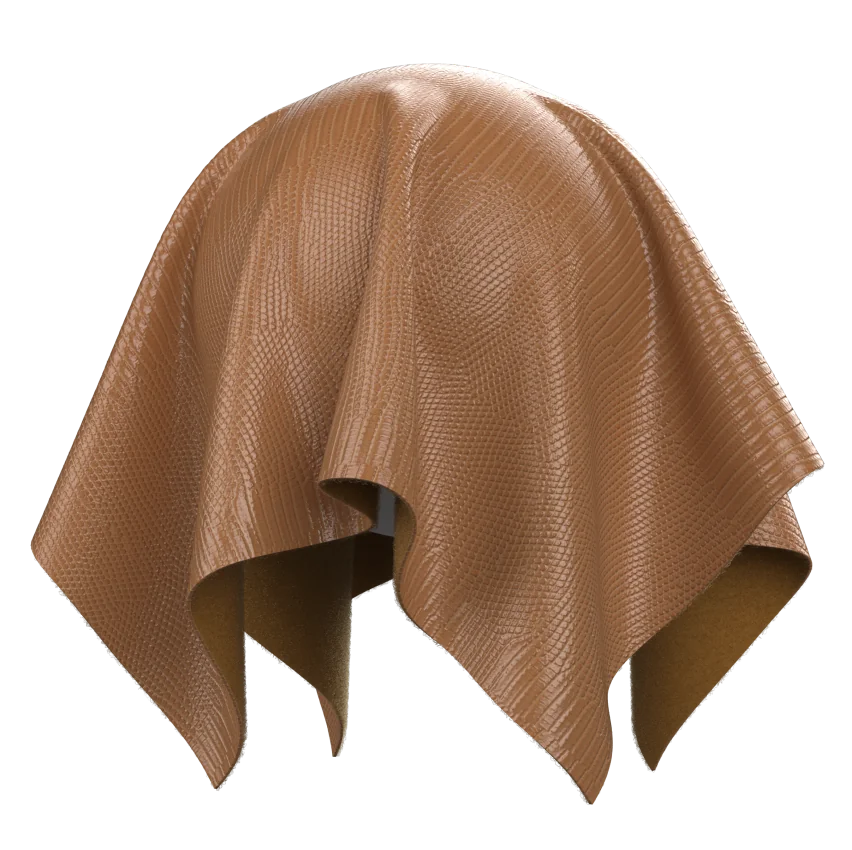
As of Q2 2026, the 3D Fashion Design Software Market reached USD 3.33 billion, with projections to grow at a 9.4% CAGR through 2030, driven by demand for realistic digital prototyping that eliminates mesh penetration artifacts. Fabric overlay technology addresses one of the most persistent challenges in virtual garment creation: preventing polygon surfaces from intersecting when multiple clothing layers, accessories, or body-avatar boundaries occupy the same virtual space. This method employs spatial offset parameters, hierarchical collision detection algorithms, and adaptive mesh deformation to maintain visually plausible separation between overlapping fabric geometries throughout the simulation cycle.
Understanding Clipping in Multi-Layer Garment Simulation
Clipping occurs when the vertices, edges, or triangle faces of one 3D mesh penetrate through another during cloth simulation, creating visual artifacts that undermine photorealism and invalidate fit assessment. In apparel CAD workflows, this problem intensifies when designers layer garments—a blazer over a shirt, lingerie beneath outerwear, or accessories like belts against body contours. Traditional collision detection relies on bounding volume hierarchies and continuous collision detection to identify potential intersections, but these methods alone struggle with thin fabrics, high-velocity animation frames, and complex multi-garment assemblies.
When a pattern maker imports a DXF file into a 3D platform, the first friction point often appears during initial drape simulation: if collision thickness parameters are too aggressive, fabrics push unnaturally away from the avatar; if too conservative, underwire channels clip through bralette cups, jacket linings penetrate outer shells, or sleeve cuffs disappear into wrist anatomy. Oriented bounding box algorithms with neural network optimization can reduce collision detection time by 7%–11% compared to traditional hybrid methods, but even optimized detection must be paired with effective response strategies to prevent visible penetration.
How Fabric Overlay Technology Works
Fabric overlay technology introduces a controlled spatial buffer between adjacent mesh layers by assigning discrete simulation priority levels and offset distances to each pattern piece. The system constructs a hierarchical ordering—skin layer (priority 0), undergarments (priority 1), mid-layers (priority 2), outerwear (priority 3)—and enforces minimum separation distances at the particle level during each simulation timestep. This approach differs from simple collision avoidance by actively maintaining a thin air gap that mimics real-world fabric drape behavior, where garments rest on top of one another rather than fusing into a single surface.
The underlying algorithm operates in three phases. First, during mesh initialization, each pattern piece receives a thickness attribute and layer assignment based on its position in the garment stack. Second, the physics engine applies repulsion forces when particles from different layers fall below the combined thickness threshold, preventing initial penetration. Third, continuous collision detection sweeps identify any missed intersections caused by large timesteps or extreme deformation, triggering geometric rollback and sub-step refinement until all layers achieve stable separation.
A counter-intuitive finding from recent cloth simulation research challenges the assumption that finer particle meshes always yield better results. Studies demonstrate that excessively subdivided meshes in tight-fitting areas—waistbands with elastic, pleated skirts with multiple fabric folds—can actually increase computational overhead and simulation instability without proportional gains in visual quality. Strategic mesh density management, where high-resolution subdivision is applied selectively to seam zones and crease-prone areas, often produces superior outcomes with lower computational cost.
Layer Priority Assignment in Production Workflows
Assigning correct layer priorities requires understanding garment construction sequences and wear order. In Style3D workflows, designers typically start by draping the avatar in layer 0 (skin offset distance 3.0mm), then build upward: bras and briefs at layer 1, shirts and pants at layer 2, jackets and coats at layer 3. Each increment adds a collision offset, ensuring that when a user simulates a complete outfit, the physics engine respects the intended stacking order without manual vertex-by-vertex adjustment.
This hierarchy becomes especially critical in categories like lingerie, where underwire structures, lace overlays, and elasticized bands must coexist without intersection. Wolf Lingerie uses multi-layer simulation to validate that push-up padding does not clip through sheer mesh panels and that adjustable strap hardware maintains clearance from lace appliqués across all size grades. The workflow depends on precise BOM specification of each component’s material properties—ponte knit for body panels, scuba foam for padding, nylon tricot for lining—and correct layer assignment to prevent visual anomalies during fit sample review.
In menswear, OLYMP applies layer prioritization to shirt-jacket combinations, ensuring that dress shirt collars sit cleanly beneath blazer lapels and that sleeve cuffs extend the correct distance beyond jacket sleeve hems without polygon overlap. The technical challenge lies in maintaining these relationships across size runs: a separation distance that works for size M may cause clipping in size XXL if not coupled with grading-aware offset scaling.
Limitations and Tradeoffs in Current Implementations
Despite advances in collision detection and fabric overlay logic, current 3D garment platforms encounter persistent friction points that pattern makers must navigate through workflow adaptation rather than pure algorithmic reliance. Hardware constraints limit real-time simulation fidelity for complex multi-garment scenes: rendering a six-piece outfit with realistic drape on a mid-range workstation may require 15–30 seconds per frame, making interactive design iteration impractical without reducing particle density or fabric stiffness parameters. Integration with legacy PLM systems remains another unresolved challenge—most 3D platforms export garment geometry and texture maps effectively, but translating layer priority metadata, collision offset values, and simulation settings into PLM-compatible tech packs still requires manual documentation or custom scripting.
Fabric simulation accuracy for performance textiles presents ongoing difficulties. Moisture-wicking interlock, four-way stretch ponte, and bonded scuba behave differently under stress than woven twill or sateen, yet many collision detection algorithms treat all fabrics with generalized elasticity models. This simplification can cause athletic wear with engineered mesh panels to exhibit unrealistic stiffness or compression garments to fail replicating true body-conforming behavior, limiting the utility of digital samples for technical sportswear development.
Decision Framework for Collision Prevention Strategies
Brands evaluating fabric overlay technology should assess their product mix and workflow bottlenecks through a structured lens. High-volume ready-to-wear brands producing simple separates (T-shirts, denim, basic outerwear) may find that standard collision detection with conservative offset values suffices, avoiding the complexity of multi-layer hierarchies. Conversely, brands specializing in layered looks—haute couture with multiple sheer overlays, workwear with vest-shirt-jacket systems, or lingerie with structured foundation garments—will realize measurable time savings by implementing layer-aware simulation from the outset.
The key decision variables include: average garment complexity (single-layer vs. multi-layer assemblies), fabric diversity (woven-only vs. mixed knit-woven-nonwoven constructions), size grade range (6 sizes vs. 20+ sizes including petite and tall), and sample approval workflow (internal design review vs. client-facing digital presentation). Brands compressing sample-to-approval cycles from weeks to days—Mengdi Group reduced development time from 3 days to 10 minutes using AI-enhanced 3D workflows—typically prioritize simulation speed and layer automation over maximum physical accuracy, accepting minor visual compromises in exchange for faster iteration velocity.
When choosing simulation settings, pattern makers must balance three competing objectives: visual realism (does the drape look like a real garment?), computational speed (can we iterate in real-time?), and physical accuracy (will the digital sample match the CMT factory output?). Fabric overlay technology addresses the first two by maintaining clean layer separation and accelerating collision resolution, but the third remains an area where physical validation remains essential, especially for first-time production of unfamiliar constructions or novel fabric blends.
Frequently Asked Questions
What is the difference between collision detection and fabric overlay technology in 3D garment design?
Collision detection identifies when two mesh surfaces intersect during simulation, while fabric overlay technology actively prevents intersection by enforcing layer hierarchies and minimum separation distances. Collision detection is reactive (finding problems after they occur), whereas fabric overlay is preventive (structuring the simulation to avoid problems from the start). Both work together: overlay technology reduces the number of collision events, and detection algorithms catch edge cases that bypass the layer system.
How do I know which layer priority to assign to different garment components?
Assign layer priorities based on wear order, with the avatar skin at layer 0 and each subsequent clothing layer incrementing upward. Undergarments typically occupy layer 1, mid-layers like shirts and pants use layer 2, and outerwear like jackets and coats sit at layer 3 or higher. For accessories, assign priorities based on physical contact: a belt worn over a shirt would be layer 3, while a necklace resting on skin might be layer 1. Test the assignment by running a static simulation—if you see clipping, the hierarchy likely needs adjustment.
Can fabric overlay technology eliminate the need for physical samples entirely?
No, fabric overlay technology improves digital sample accuracy but cannot yet replicate every physical garment behavior, especially for performance fabrics with complex stretch recovery, heat-bonded seams, or garment-dyed finishes that alter drape post-production. Digital samples excel at design iteration, client presentation, and fit validation across size grades, but most brands still produce TOP samples to validate construction methods, confirm fabric hand feel, and verify color matching under production lighting before committing to bulk manufacturing.
Why does my simulation show clipping even after setting correct layer priorities?
Several factors can cause clipping despite proper layer assignment: collision offset distances set too low for the fabric thickness, particle mesh density insufficient to capture tight curves (like armholes or necklines), simulation timestep too large causing the physics engine to miss fast collisions, or conflicting sewing line angles that force pattern pieces into impossible geometries. Review your fabric’s thickness rendering and collision parameters, increase mesh subdivision in problem areas using the subdivide brush, and reduce the simulation speed to allow more collision checks per frame.
How does fabric overlay technology affect rendering and export workflows?
Fabric overlay affects simulation behavior but typically does not alter final rendering or export geometry. Once the simulation stabilizes with all layers correctly separated, the renderer treats each garment as an independent mesh with its assigned materials and UV maps. Export to game engines like Unreal or Unity, or to rendering platforms like Blender, proceeds normally. The layer priority metadata usually does not export with standard formats like FBX or OBJ, so if you need to re-simulate in another platform, you must manually reassign layer hierarchies using that tool’s equivalent system.
What simulation settings should I start with for multi-layer garments?
Begin with conservative defaults: skin offset 3.0mm, layer 0 for avatar, layer 1 for undergarments with 1.0mm collision thickness, layer 2 for mid-layers with 1.5mm collision thickness, layer 3 for outerwear with 2.0mm collision thickness. Set particle distance to 5mm for general garments (tighter for fitted styles, looser for voluminous cuts). Run a static pose simulation first to ensure all layers settle without clipping, then adjust thickness values if you see unrealistic gaps or persistent penetration. Once the static pose is stable, switch all garment layers to layer 0 if you need inter-layer friction effects during animation, or maintain the hierarchy if clean separation is more important than realistic fabric-on-fabric drag.
Sources
-
Deep Neural Network-Based Cloth Collision Detection Algorithm
-
Style3D × Wolf Lingerie: Transforming Lingerie Design with AI + 3D Innovation
-
How Style3D Helped Mengdi Drop Development Time from 3 Days to 10 Minutes
-
Style3D × OLYMP: Redefining Menswear Innovation with Digital Excellence