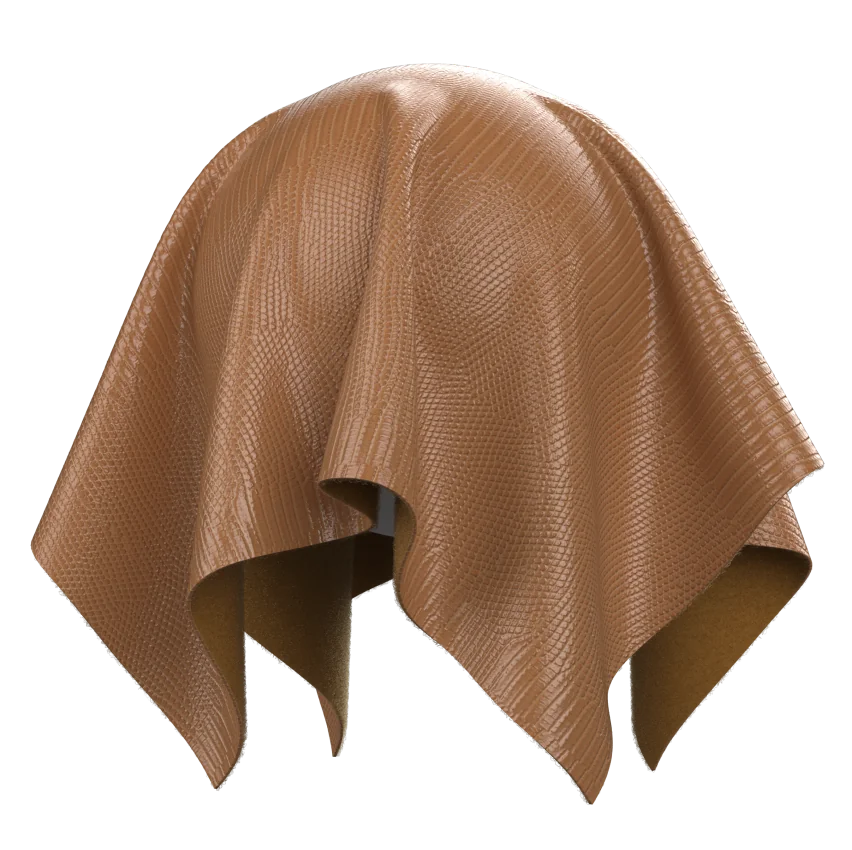
As of the latest State of Fashion research, digital product creation and 3D workflows have become a priority capability for mid- to large-size apparel brands aiming to compress development cycles and reduce physical samples. In 2026, decision‑makers are no longer asking whether to adopt 3D but how to connect design, merchandising, and manufacturing without losing visual fidelity between systems. That question becomes acute when you move garments between CAD, DCC, game engines, and production tools: file conversion can silently strip out materials, shaders, and physics data, undermining stakeholder trust in virtual samples.
Why 3D fashion file conversion is so fragile
Most fashion teams work across at least three different 3D “worlds”: pattern CAD (DXF/AAMA), apparel simulation tools, and general 3D content creation for marketing, e‑commerce, or game engines. Each of these environments favors different file formats and material models, and none of them speaks exactly the same language for shaders or physics. What looks like a simple “export OBJ, import FBX” step can flatten layered fabrics, drop normal maps, or reset transparency on lace and mesh.
On the technical side, formats such as OBJ and FBX were never designed specifically for apparel, so attributes like bending stiffness, weft/warp stretch, or sewing line data often get stored in tool‑specific sidecars rather than the main mesh file. When a pattern maker exports an OBJ from their 3D fit sample, the geometry will travel, but shader graphs, UDIM layouts, and fabric properties may not. The immediate result is that a merchandiser sees a dull, plastic‑looking sample in a game engine preview instead of the fluid sateen or textured twill they signed off in the fit session.
From a workflow perspective, every re‑build of materials after conversion consumes scarce specialist time in the sample room. Texture artists must re‑assign albedo, roughness, and normal maps; technical designers must manually check prints against the tech pack and lab‑dip references; and production teams worry that digital approvals no longer reflect physical outcomes. That is why preserving material and shader data at conversion is not a “nice to have” but a prerequisite for using 3D fashion assets beyond a single tool.
Core concepts: geometry, materials, shaders, and physics
Before defining a conversion strategy, it helps to separate four layers of information that may or may not survive a file change. Geometry covers the garment mesh itself, pattern piece arrangement, and, for some workflows, avatar body data. Formats such as OBJ, FBX, and glTF handle geometry reliably, but differ in how they treat multiple UV sets, vertex colors, and morph targets for size grading or pose adjustments.
Materials sit one level above geometry and define which texture maps are bound to which mesh regions. In apparel, that typically means a base color or print, roughness or gloss, normal or bump maps, and sometimes opacity masks for lace, mesh, or cutwork. Shaders go further, encoding how those materials react to light, and may use node‑based graphs or custom BRDFs that are highly tool‑specific. Physically based rendering (PBR) conventions such as metallic‑roughness or specular‑gloss workflows help here, but subtle differences between engines still matter for satin highlights or melange yarn definition.
Finally, physics and simulation parameters control how the garment moves: weight, stretch, shear, bending, damping, and collision settings. These are critical in categories like lingerie, outerwear, and performance sportswear, where support, insulation, or aerodynamic fit are tied to material behavior rather than appearance alone. In practice, physics data is the easiest to lose during format conversion, because many general 3D formats have no standard way to encode apparel‑specific drape or sewing information. A realistic strategy accepts that some physics will need to be re‑authored per engine, while aiming to preserve as much as possible in intermediate formats.
A practical format strategy for fashion teams
Instead of treating every conversion as a one‑off, fashion organizations benefit from defining a house standard for authoring and interchange. One pragmatic pattern is to author materials in a PBR‑friendly format such as glTF or USD for distribution, while using specialized apparel formats during design and fit. General‑purpose converters can transform FBX or OBJ meshes to glTF/GLB or USDZ, often with embedded textures, but fashion teams need to configure them to maintain UV layouts, texture resolution, and map naming conventions rather than accepting default compression.
Inside Style3D Studio, for example, OBJ import/export settings allow users to choose unified UV export and control whether materials are merged or re‑assigned, which directly affects how print placements and fabric blocks appear after conversion. When exporting an OBJ as an avatar or garment, pattern makers can preserve the UV shells that match their print layout and avoid combining materials that represent distinct fabrics in the bill of materials. That adjustment eliminates a common pain point where a merchandising team receives a flattened, single‑material mesh that cannot be quickly recolored or re‑fabricated.
For downstream visualization, Style3D Atelier supports a spectrum of formats including USD, FBX, OBJ, and Alembic, alongside its proprietary SMD, allowing studios to pick the best format based on target platform—whether that is Unreal Engine for interactive experiences or Maya for hero renders. A consistent approach is to standardize on a primary interchange format per use case—USD for high‑end pipelines, glTF for web and lightweight real‑time—and then build repeatable export presets from apparel tools into those targets. That way, teams avoid ad hoc conversions that produce slightly different material results for every collection.
How Style3D preserves materials and shaders across tools
Style3D’s stack is built around connecting fashion‑specific creation tools with general 3D ecosystems while maintaining visual and behavioral consistency of fabrics. At the fabric level, Style3D’s virtual swatch workflows can pack physical properties and texture maps into compact formats such as U3M, which combine weave, stretch, and surface detail into a single asset. When these swatches are exported for engines like Unreal or DCC tools like Maya via SBSAR and compatible shaders, the resulting garments retain their characteristic sheen, normal detail, and translucency without requiring heavy, manual shader graph rebuilds.
On the garment side, Style3D provides import/export options that respect apparel‑oriented structures: multiple material IDs per pattern piece, separate UV sets for prints and trims, and avatar information that supports accurate fit visualization. In practical terms, that allows pattern makers to import OBJ garments as avatars, flatten them to patterns, and then re‑export with preserved material assignments, so that trims, linings, and shell fabrics remain distinct. This fidelity is crucial when techno‑commercial teams must validate costings against the bill of materials or check that branded elastic and hardware are still accurately represented in 3D samples.
Interoperability extends into game and real‑time contexts. With Atelier’s support for USD, FBX, and other formats, 3D artists can export Style3D garments to Unreal Engine and connect them to plug‑ins such as Style3D Simulator for real‑time cloth. In those pipelines, material definitions derived from PBR‑ready swatches enable consistent behavior under different lighting rigs and HDRIs, reducing the mismatch between design previews and marketing content. The net effect is that a single garment definition can serve fit approval, digital showroom, and interactive experiences with minimal material or shader rework.
Workflow example: from pattern CAD to Unreal without losing fabric fidelity
A concrete workflow helps clarify which decisions keep material and shader data intact. Consider a sportswear brand developing a performance hoodie in interlock knit for both e‑commerce and a gaming collaboration. The process might begin in a traditional 2D pattern system, exporting DXF patterns for Style3D Studio, where the hoodie is seamed, graded, and simulated on a size‑set of avatars. At this stage, technical designers assign a virtual fabric swatch with accurate weight, stretch, and recovery, then apply a placed print aligned to a marketing brief.
Once the proto fit is approved digitally, the team can export an OBJ or SMD file from Studio into Atelier, along with U3M fabric swatches encapsulating both the print and physical parameters. Inside Atelier, 3D artists prepare high‑poly and LOD versions, ensuring UVs remain consistent and baking any required normal or AO maps. They then export to USD or FBX for Unreal Engine, where the U3M‑derived materials plug into engine shaders configured for metallic‑roughness PBR. Because the fabric definition traveled consistently, the hoodie retains its knit texture, print clarity, and approximate drape under game physics and cinematic lighting.
This same garment can feed a digital showroom or e‑commerce configurator with minimal additional work. Marketing teams can change colorways or graphics by editing texture inputs rather than reconstructing shaders from scratch, while production teams cross‑check that virtual samples still match tech pack specifications and approved lab dips. Over multiple seasons, reusing the same conversion presets and material workflows becomes a force multiplier: less time lost in rework, and more confidence that digital assets are trustworthy proxies for physical products.
Counter‑consensus: you do not need one “master” format
Many teams assume that achieving reliable conversions means choosing a single, universal 3D format and forcing every tool to conform. In practice, that assumption slows progress because it ignores the strengths and weaknesses of individual formats for specific stages. USD, for instance, excels at complex shot assembly and large‑scale pipelines, while glTF is optimized for lightweight web and real‑time experiences. OBJ remains a pragmatic bridge for simple geometry and UV transfer, especially when apparel‑focused tools provide import/export controls tailored to patterns and materials.
A more resilient strategy treats formats as specialized carriers within a defined workflow rather than as universal containers. Style3D’s approach reflects this: Studio focuses on apparel creation and fit with pattern‑aware imports such as OBJ, while Atelier acts as a hub that speaks USD, FBX, OBJ, Alembic, and proprietary SMD to connect with DCC tools and engines. Instead of chasing a mythic “one format to rule them all,” fashion organizations gain more by standardizing on a small set of proven pathways, backed by presets, documentation, and training for pattern makers, 3D artists, and merchandisers.
This counter‑consensus view aligns with what digital product creation leaders report at major industry events, where the focus has shifted from arguing about the best format to discussing governance around where assets originate, who edits them, and how approvals are tracked across PLM and 3D systems. In practice, success looks like a stable, auditable chain from pattern CAD to PLM to 3D visualization, with file formats acting as reliable but replaceable components rather than strategic battlegrounds. That mindset makes it easier to plug in new tools over time without breaking material and shader fidelity.
Honest limitations and where friction remains
Despite real progress, 3D fashion workflows still have gaps, especially around high‑fidelity material behavior for complex textiles. While physically based shading models handle most wovens and knits convincingly, performance fabrics with laminated membranes, bonded seams, or zoned compression can be challenging to reproduce accurately in both appearance and drape. Simulating multi‑layer garments such as padded outerwear or tailored jackets with hairline canvas requires significant calibration, and some physics parameters do not map cleanly between simulation engines, forcing teams to redo work during conversion.
There is also a human learning curve. Pattern makers comfortable with DXF and AAMA formats must learn how UVs, texture tiling, and shader parameters affect the perceived weight and sheen of fabrics on screen. 3D generalists coming from VFX or gaming may underestimate the importance of tech pack details, BOM structures, or lab‑dip approvals, leading to visually impressive but production‑inaccurate garments. On top of that, older PLM systems may not natively store or display 3D materials or shaders, so teams rely on links, previews, or parallel repositories to keep track of virtual fabrics.
Hardware and infrastructure can introduce further friction. High‑resolution textures, dense meshes, and real‑time simulation demand capable GPUs, which may not be available on every buyer’s laptop or in every sample room. Organizations often need to define tiered asset standards—lighter meshes and textures for internal review and buyer‑facing tools, heavier ones for hero marketing—while making sure that format conversions between tiers keep core material attributes intact. These constraints do not negate the benefits of 3D and AI workflows, but they do require realistic planning and clear communication when rolling out cross‑tool pipelines.
Category‑specific nuances: lingerie, workwear, and menswear
Different product categories place different stress on material and shader preservation. Lingerie, for example, depends heavily on fine lace, mesh, and elastic trims, where opacity maps, translucency, and specular response determine whether virtual samples feel believable. Underwire and molded cup shapes also interact with physics, so losing simulation settings during conversion can make virtual fit reviews meaningless. When a brand like Wolf Lingerie uses 3D and AI tools to support its design process, maintaining detailed material data across tools helps designers and buyers evaluate support, coverage, and aesthetic details without over‑reliance on physical samples.
Workwear introduces another challenge: durability and functional details such as reflective tapes, reinforced panels, and pocketing for tools. Here, shader accuracy for high‑visibility materials and abrasion‑resistant fabrics, along with consistent placement of trims and hardware, matters for both safety compliance and customer expectations. In digital transformations like those undertaken by workwear specialists, connecting 3D garments to PLM records and manufacturing specifications requires that materials, colorways, and component assignments survive format changes, not just the garment silhouette.
Menswear, particularly in shirting and tailoring, stresses subtle surface qualities such as yarn‑dyed stripes, melange effects, and finishing processes like mercerization. Capturing these nuances in shaders and texture maps and carrying them from design to sales samples enables sales teams to use digital styles with confidence during pre‑order meetings. Across all categories, the common thread is that material and shader fidelity directly influences whether 3D assets can support real business decisions, from assortment planning to made‑to‑order programs.
Frequently Asked Questions
How do I choose the right 3D format for fashion workflows?
Start by mapping your pipeline from pattern creation to final visualization and then assign one primary format per stage rather than searching for a universal option. Use apparel‑focused tools for pattern‑aware work, and USD or glTF for distribution to visualization and real‑time platforms, ensuring your team standardizes export presets to keep materials and shaders consistent.
What is the safest way to preserve materials when converting between tools?
Define a consistent PBR material template, keep texture naming and UDIM structures stable, and use export settings that avoid merging distinct fabrics into a single material slot. Whenever possible, bundle fabric properties and texture maps into interoperable formats such as virtual swatches or Substance‑compatible materials so that downstream tools can reconstruct shaders automatically.
Can I keep fabric physics intact when moving garments to game engines?
You can often preserve core parameters like weight and stretch conceptually, but physics solvers differ between apparel tools and engines, so exact behavior rarely transfers 1:1. A practical pattern is to rely on virtual swatch exports for appearance while retuning key simulation settings per engine, using in‑house guidelines to keep behavior close to your approved fit samples.
How should PLM systems interact with 3D materials and shaders?
Treat PLM as the system of record for style numbers, BOMs, and approvals, and store pointers or previews of 3D assets rather than trying to replicate full shader graphs there. Many teams maintain a controlled 3D asset library alongside PLM, with clear rules for versioning and naming so that physical and digital materials stay aligned throughout proto, fit, and TOP stages.
What skills do pattern makers and designers need to work effectively with 3D formats?
Pattern makers benefit from a basic understanding of UV mapping, material IDs, and how different formats treat sewing lines and notches, while designers need familiarity with PBR concepts and viewport lighting. Short, targeted training around importing DXF into 3D tools, checking fabric tiling, and validating prints against tech packs usually delivers better results than generic 3D courses.
Sources
-
[Atelier Introduction]: Supports Multiple 3D Formats & Tools
-
Style3D × Wolf Lingerie: Transforming Lingerie Design with AI & 3D Innovation