MCP: AI Connects Directly to 3D Creation
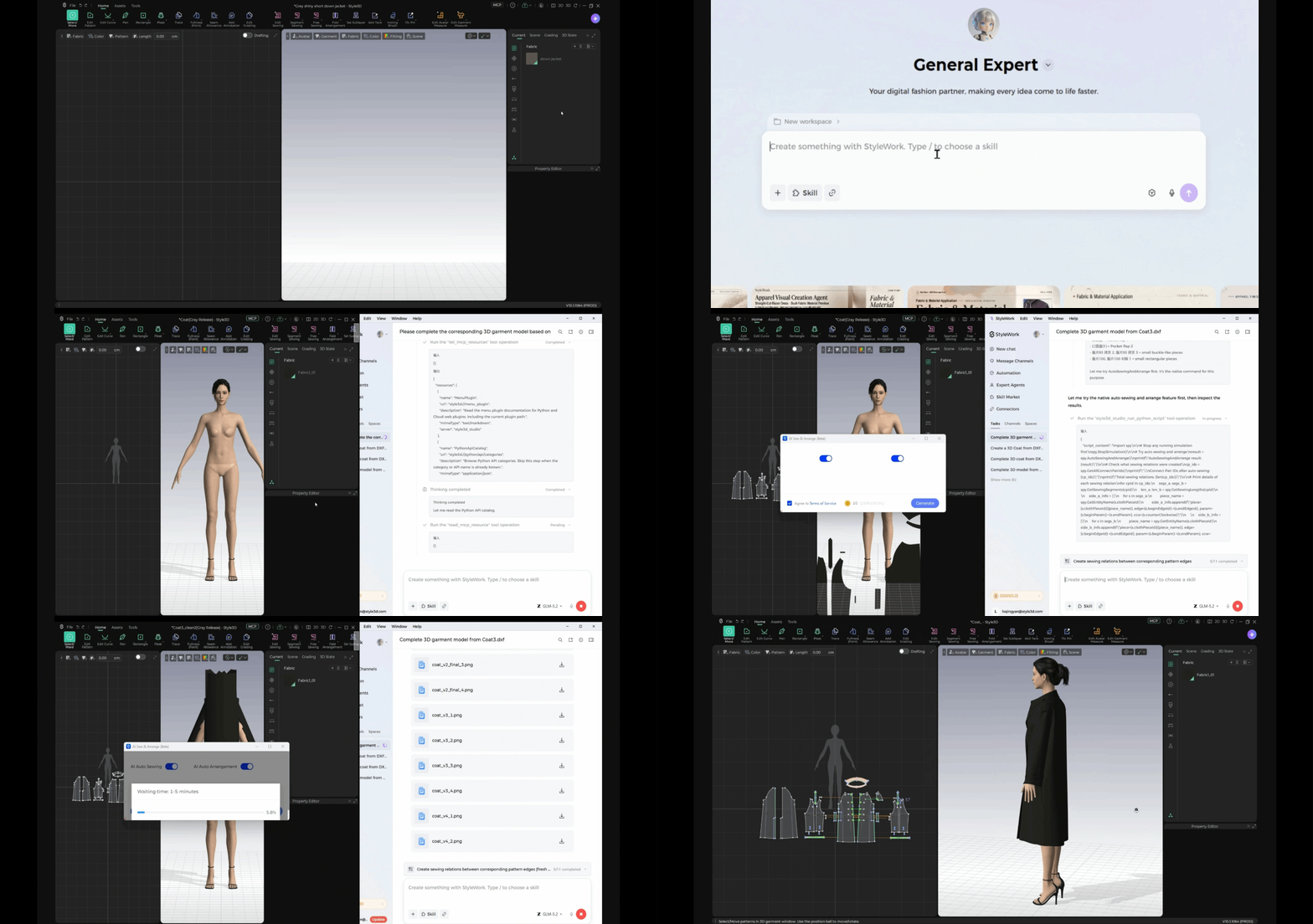
One of the key updates in Studio V10.1 is that MCP is now open to everyone. Users can connect AI Agents directly to Style3D Studio, enabling AI to interact with the software and automate garment modeling tasks.
This connection brings AI beyond the role of a visual assistant and closer to actual 3D creation. By allowing AI Agents to work directly with Studio, users can explore new ways to automate modeling operations and integrate AI into their existing garment development workflows.
With MCP more widely accessible, Studio V10.1 makes it easier for users to explore AI driven workflows and discover how intelligent agents can support professional 3D garment creation.
Upgrade Pattern Making and Editing Features
Studio V10.1 brings a range of enhancements to pattern development and revision, giving users more precise control over pattern construction and editing. From freeform line drawing and dart adjustments to pattern replacement and 3D-based cutting, these improvements make pattern-making operations more intuitive and flexible.
Add Points to Free Lines for More Flexible Pattern Editing
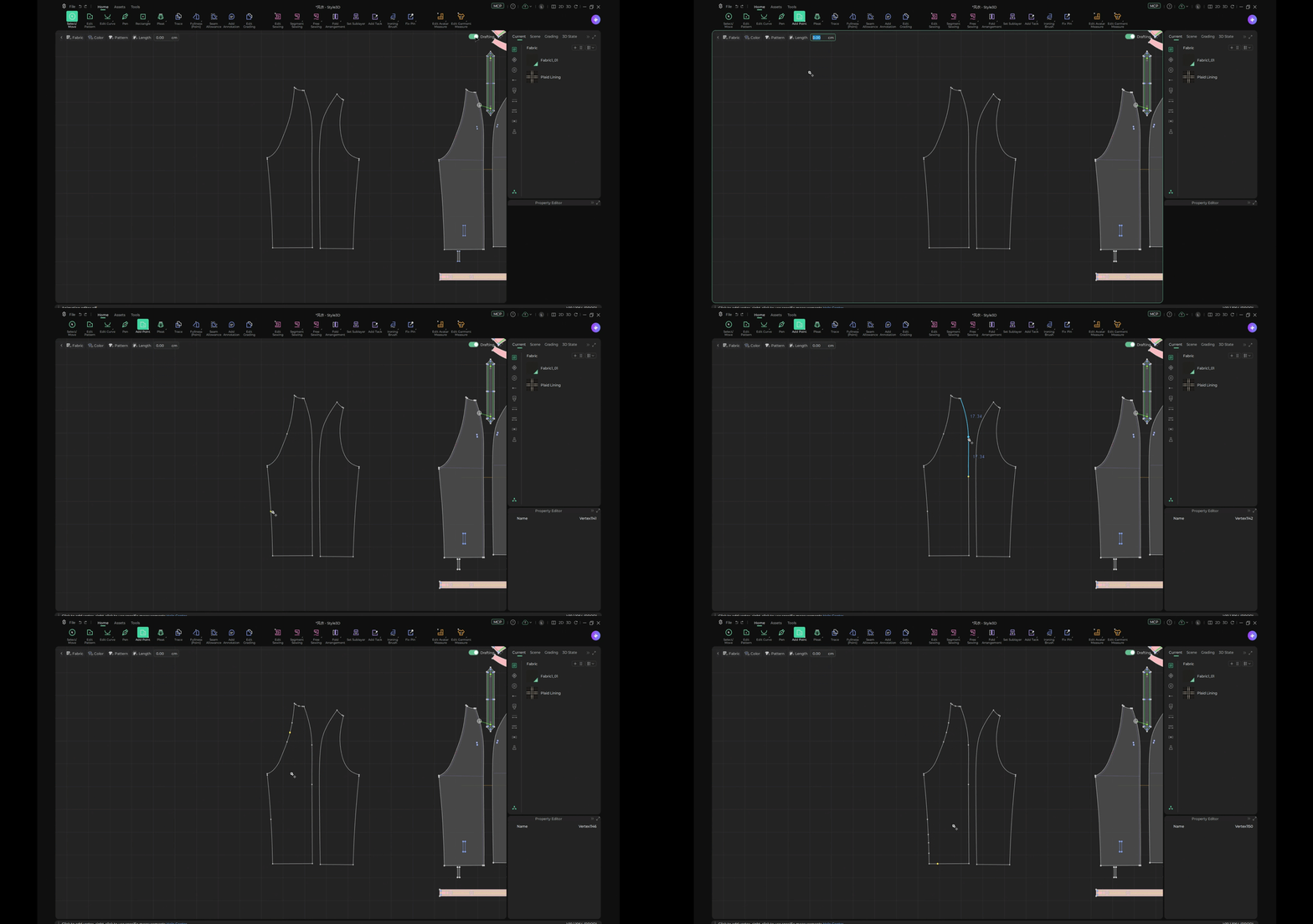
Users can add points anywhere along free lines, with points automatically snapping to the midpoint for easier and more accurate positioning.
Create and Rotate Darts with Free Lines
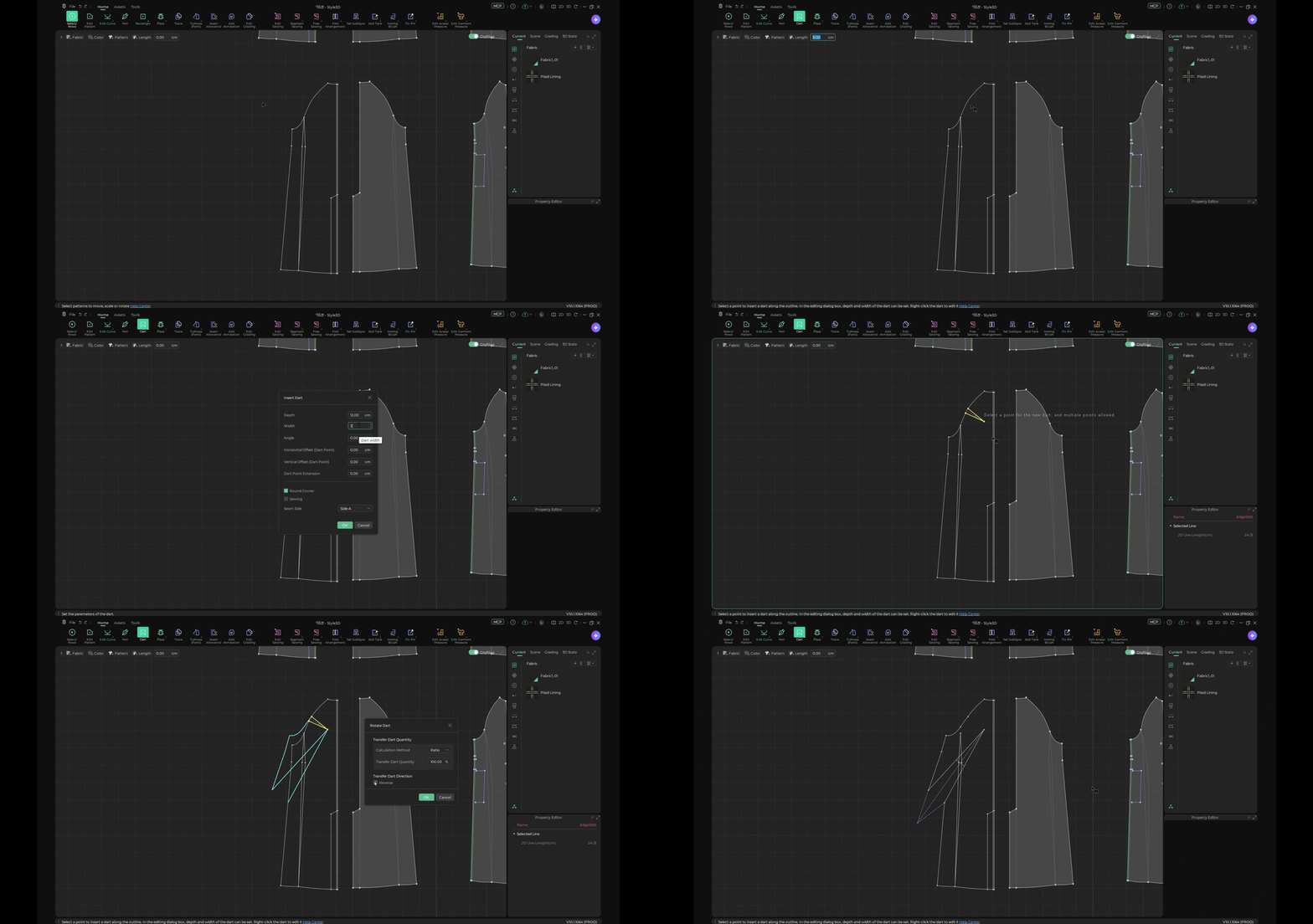
Users can create darts directly for faster pattern editing and rotate darts to adjust dart positions with greater flexibility.
Generate Equidistant Internal Lines from Free Lines
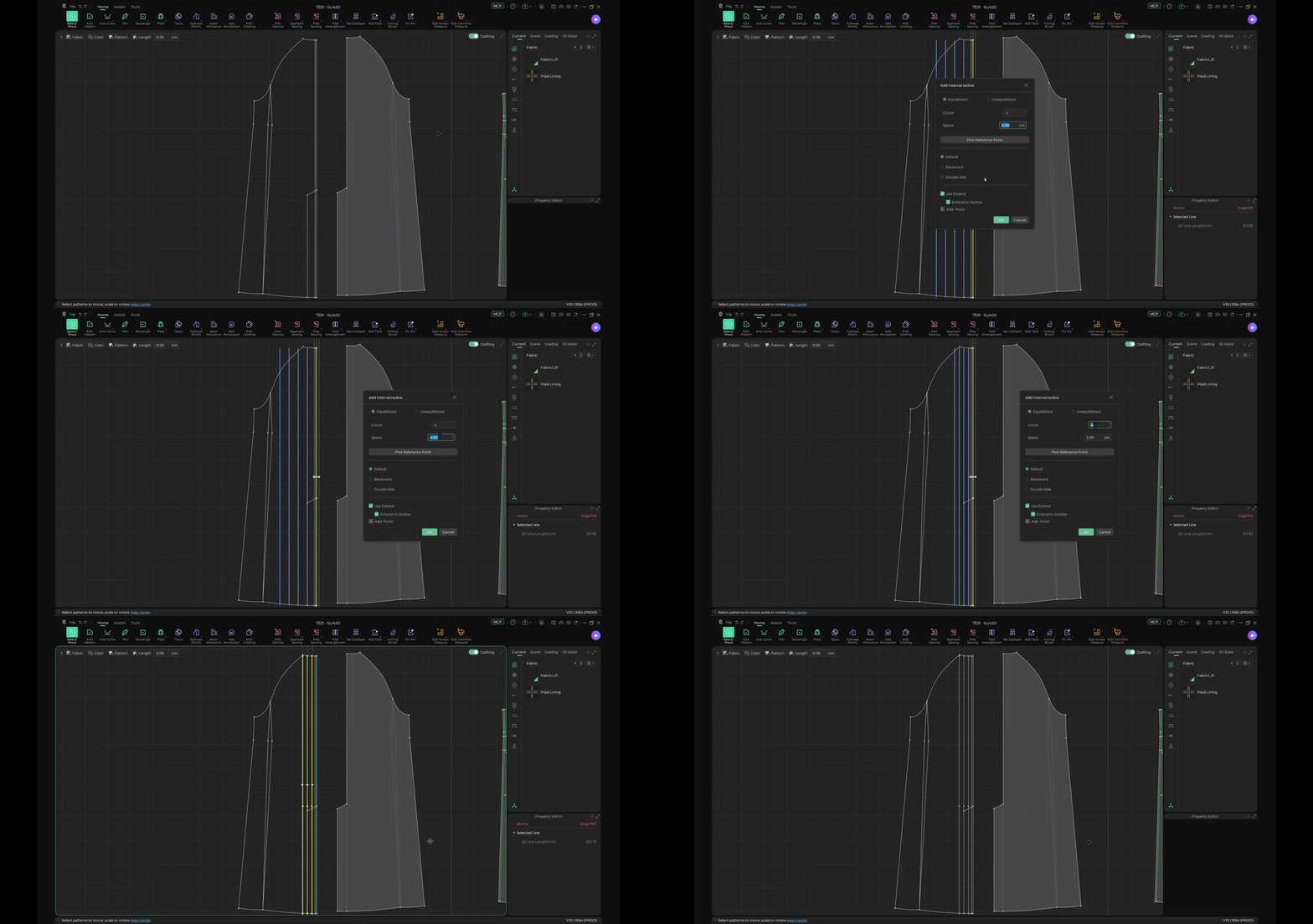
Users can select a free line and offset it inward to generate equidistant isolines directly, reducing repetitive drawing and simplifying pattern editing.
Display Included Angles of Stroke Lines in Real Time
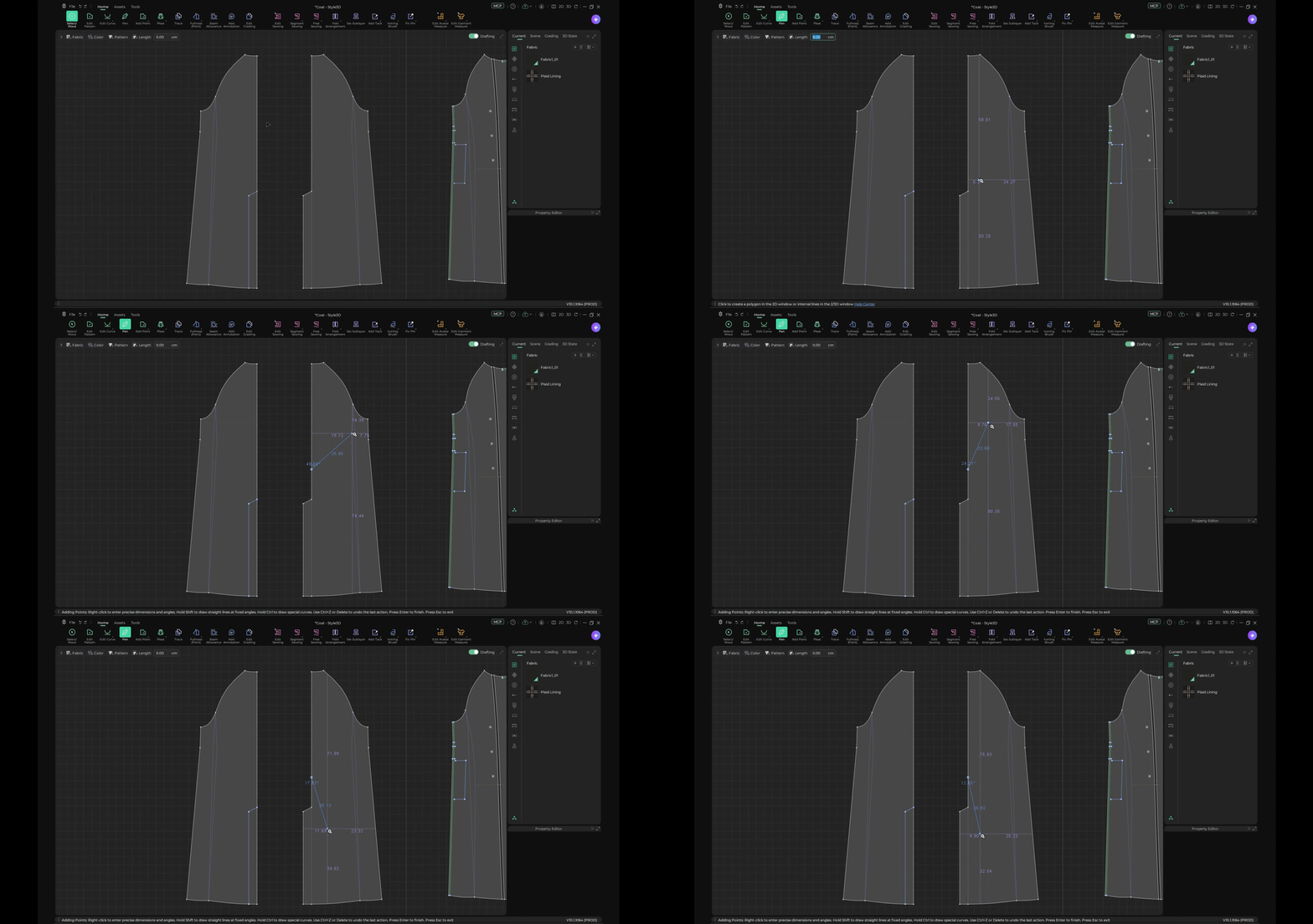
When drawing with the pen tool, included angles are displayed in real time, allowing users to view angles directly and use them as a reference when drawing patterns.
Improved Pattern Replacement with Baseline Together
Users can replace pattern pieces and their baselines at the same time, making pattern replacement more convenient and keeping related baseline information synchronized.
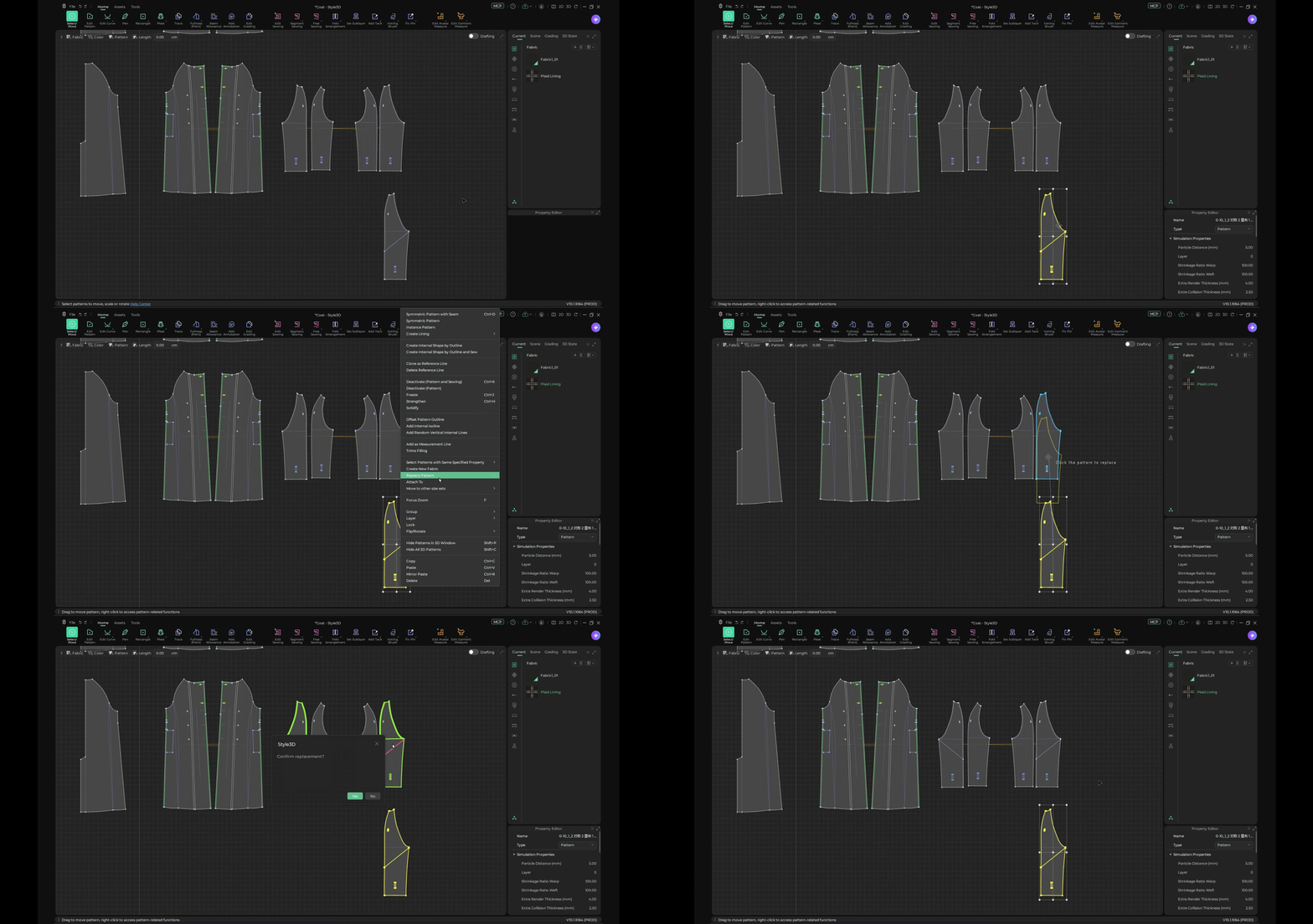
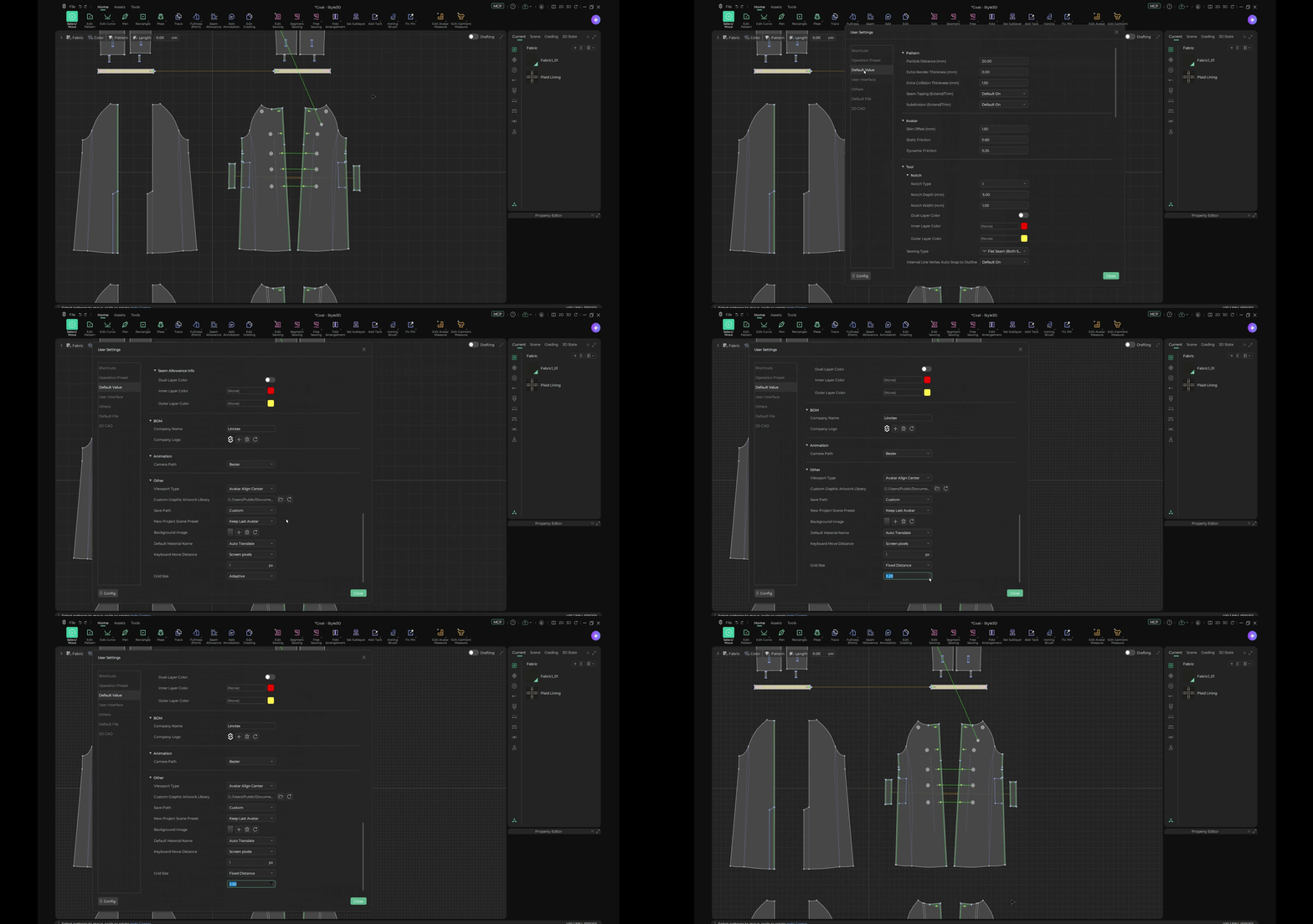
Cut Garment Circumference Measurement Lines
Users can select a cutting position directly on a garment circumference measurement line and cut the measurement line as needed. They can also edit measurement lines for greater flexibility in adjustments.
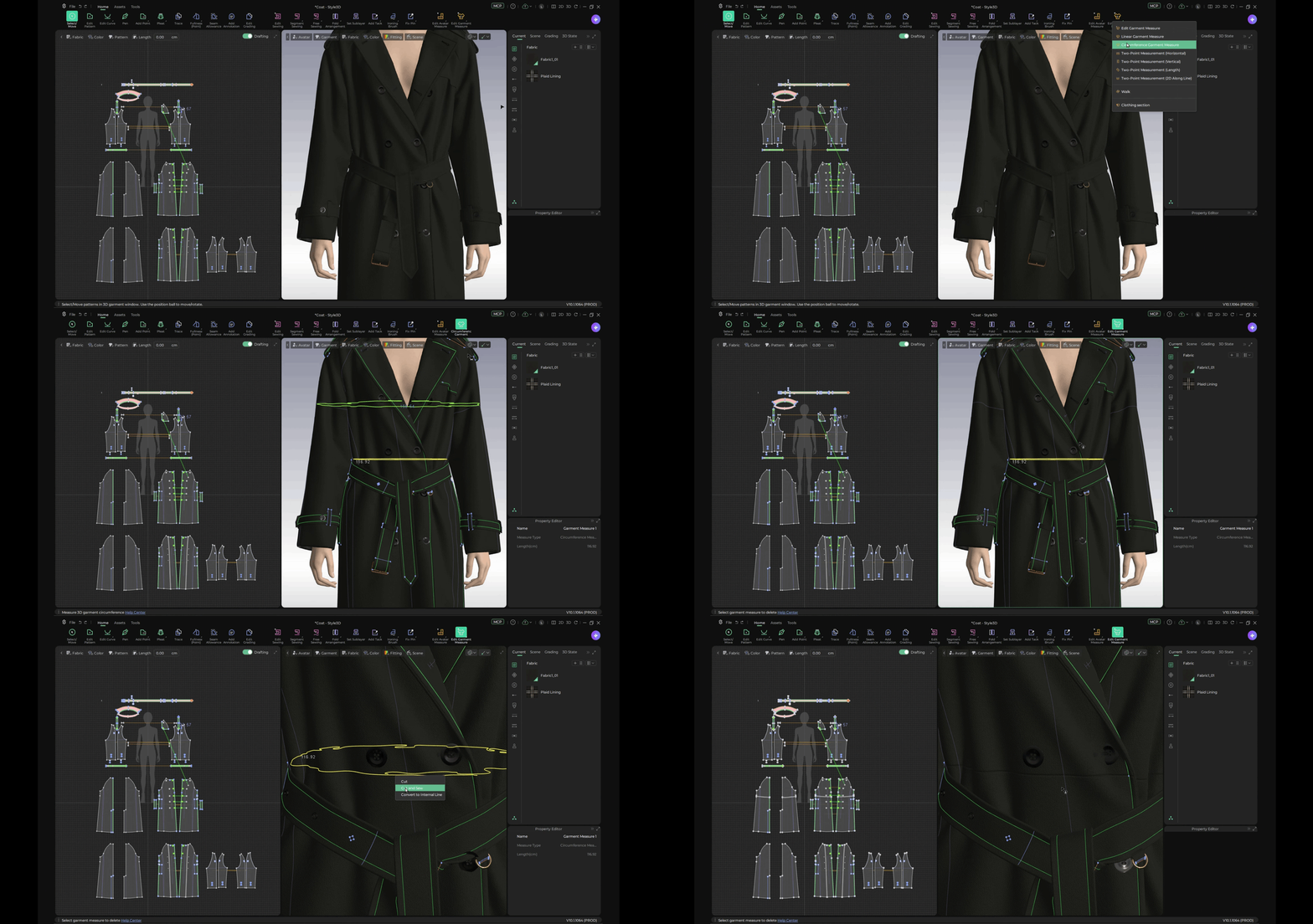
Customize 2D Grid Size
Users can set grid sizes to suit their pattern-making needs, enabling more precise positioning and alignment during pattern development.
Together, these improvements provide more versatile tools for pattern construction, adjustment, and refinement, helping users work with greater precision and flexibility throughout the digital pattern-making process.
Printing and Pattern Enhancements
Studio V10.1 further enhances its print and graphic design tools, making it easier to manage pattern positioning across sizes, adapt designs to different workflows, and refine visual details. With improvements to position grading, dedicated printing and pattern-making modes, and graphic editing, users gain more control over the creative process.
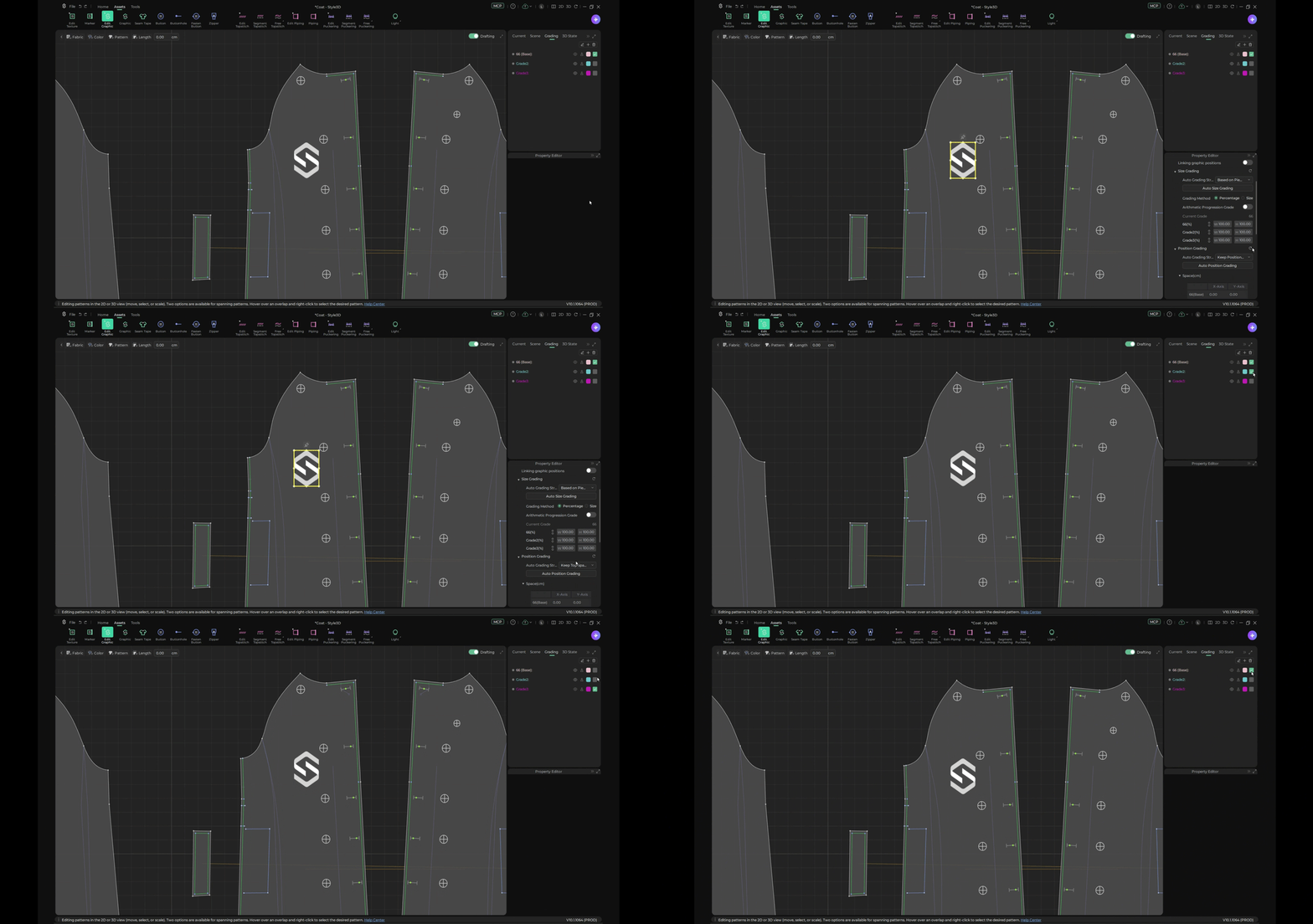
Automatic Position Grading for Patterns
Users can automatically grade pattern positions across sizes by selecting a positioning strategy and applying auto grading, simplifying adjustments and reducing the need for repetitive size-by-size work.
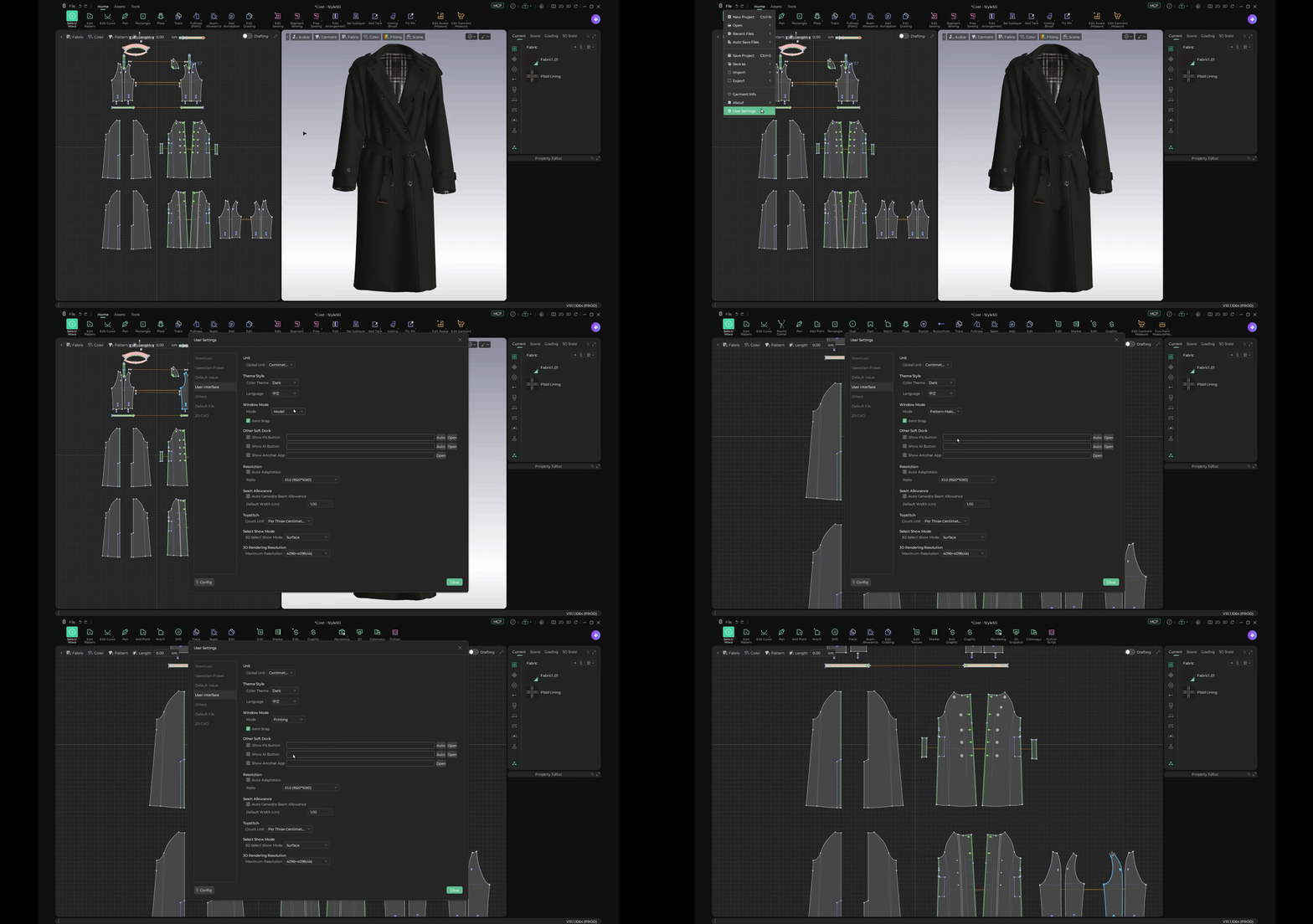
New Printing and Pattern Making Modes
Studio V10.1 introduces two dedicated modes for different workflows: Printing mode for print design and Pattern making mode for pattern development. Users can choose the mode that best suits their tasks and working requirements.
New Liquify Tool for Flexible Pattern Adjustments
The new Liquify tool allows users to select a layer and enter Liquify editing mode. With Push, Smooth, and Restore brushes, users can adjust graphic elements, smooth changes, and restore selected areas with greater flexibility.
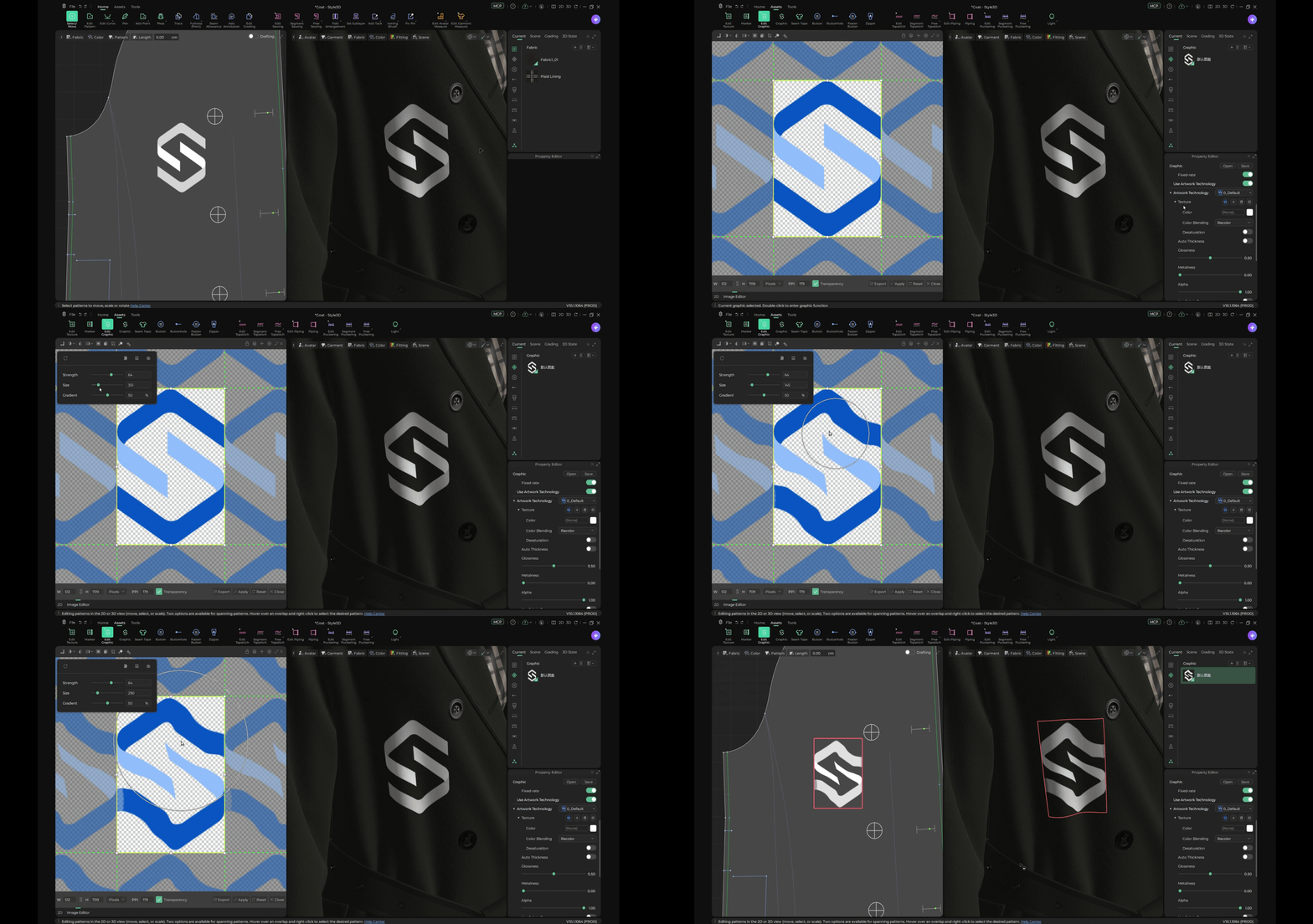
These enhancements offer greater flexibility in print and graphic design, helping users refine visual elements and adapt designs more efficiently within their digital garment development workflows.
A More Connected and Efficient 3D Creation Experience
With Style3D Studio V10.1, we continue to bring AI and professional 3D garment development closer together. From expanded MCP connectivity to enhanced pattern-making and print design tools, each update makes digital garment creation more precise and efficient.
[Explore Studio V10.1 →] https://studio.style3d.com/en/home
Building on this vision, we’re taking AI a step further with StyleWork, our all-in-one AI Agent workspace for fashion design and product development.
[Explore StyleWork →] https://work-eu.style3d.com/
Join our upcoming webinar to discover how AI can connect the entire fashion workflow.
November 24, 2026
2:00 PM (UTC+2)
[Join the StyleWork Webinar →] https://us06web.zoom.us/webinar/register/WN_3MfklVwITSCzLGj9s8u57g#/registration